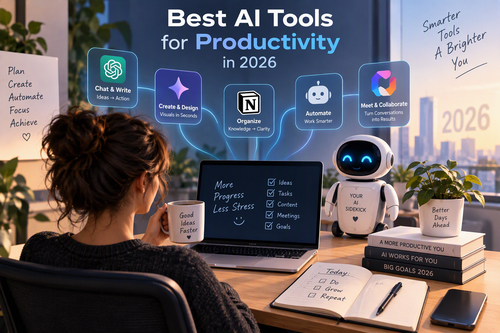
Best AI Tools for Productivity in 2026: Work Smarter, Save Time, and Get More Done
Artificial intelligence has become one of the most powerful ways to improve productivity in 2026. From writing emails and summarizing meetings to automating repetitive tasks and managing projects, AI tools are helping professionals, entrepreneurs, students, and businesses accomplish more in less time.
However, with so many AI applications available, choosing the right tools can be challenging. Some are excellent for writing and research, while others specialize in workflow automation, note-taking, coding, or team collaboration.
In this guide, we explore the best AI tools for productivity in 2026, explain what makes each one useful, and share practical tips for choosing the right solutions for your daily workflow.
Why AI Productivity Tools Matter in 2026
Traditional productivity software helps you organize your work, but AI-powered tools can also help you create, analyze, summarize, and automate it.
Here are some of the biggest benefits of using AI for productivity:
-
Save time: Automate repetitive administrative tasks and reduce manual work.
-
Improve writing: Create drafts, summarize documents, and refine communication.
-
Make better decisions: Analyze information and extract useful insights from complex data.
-
Stay organized: Turn notes, conversations, and ideas into actionable tasks.
-
Collaborate more effectively: Summarize meetings and help teams share information.
-
Reduce mental overload: Spend less time switching between applications and managing routine tasks.
The goal is not to use AI for everything. It is to identify tasks that consume too much time and use the right tool to make them easier.
1. ChatGPT — Best All-in-One AI Productivity Tool
ChatGPT
Best for: Writing, brainstorming, research, planning, and data analysis
ChatGPT is a versatile AI assistant that can help with everything from drafting professional emails to analyzing spreadsheets and developing project plans. It is especially useful when you want one tool to support several different types of work.
Website: chatgpt.com
ChatGPT can help you:
-
Generate blog posts, reports, and marketing content.
-
Summarize long documents and extract important information.
-
Brainstorm business ideas and build project plans.
-
Analyze data and assist with formulas or code.
-
Turn rough notes into clear, organized documents.
Its broader work capabilities can also help with multi-step projects, depending on the features available in your account.
Example productivity prompt: “Create a weekly work plan from these tasks, rank them by urgency and impact, estimate the time required, and suggest a realistic schedule.”
Why choose it? ChatGPT is a strong starting point for individuals who want a flexible assistant without switching between multiple specialized tools.
2. Claude — Best for Long Documents and Detailed Writing
Claude
Best for: Long-form writing, document analysis, coding, and complex tasks
Claude is a useful option for professionals who work with lengthy documents, detailed reports, technical material, or nuanced writing. It can help organize complicated information and turn rough drafts into more polished content.
Website: claude.ai
Popular productivity uses include reviewing proposals, summarizing lengthy reports, refining business communication, examining code, and developing structured content.
Example productivity prompt: “Review this report, identify its five most important findings, highlight unanswered questions, and produce a concise executive summary.”
Why choose it? Consider Claude if your daily work involves extensive reading, writing, or analyzing complex information.
3. Microsoft Copilot — Best for Microsoft 365 Users
Microsoft Copilot
Best for: Word, Excel, PowerPoint, Outlook, and Teams workflows
Microsoft Copilot is particularly useful for people who already rely on Microsoft 365. Depending on the license and configuration, it can assist with drafting documents, analyzing spreadsheet data, creating presentations, summarizing email conversations, and extracting action items from meetings.
Website: copilot.microsoft.com
For example, a manager can use Copilot to summarize a meeting, prepare a follow-up email, and turn the discussion into a presentation outline. Its available capabilities vary by app and subscription.
Why choose it? It is a practical option for teams that want AI assistance inside their existing office software rather than another standalone workspace.
4. Google Gemini — Best for Google Workspace Users
Google Gemini
Best for: Gmail, Google Docs, research, and everyday office tasks
Google Gemini can support writing, brainstorming, summarization, and information analysis. For people working in Google’s ecosystem, Gemini features available through Google Workspace can help streamline tasks involving email, documents, spreadsheets, and presentations.
Website: gemini.google.com
You can use it to draft a customer response, organize research notes, summarize a document, or generate ideas for a presentation. Workspace integrations and features depend on your account and plan.
Why choose it? Gemini is worth considering if Gmail, Google Docs, and Drive are central to your workday.
5. Notion AI — Best for Notes and Knowledge Management
Notion AI
Best for: Project documentation, meeting notes, and team knowledge
Notion combines notes, documents, databases, and project organization in a shared workspace. Its AI features can help summarize pages, draft content, extract action items, and make information easier to navigate.
Website: notion.so
For example, a team can keep project requirements, research, meeting notes, and task lists together while using AI to produce summaries and organize information.
Why choose it? Notion AI is a good fit for people who want their documentation and productivity workflows in one place.
6. Perplexity — Best for AI-Powered Research
Perplexity
Best for: Online research, fact-finding, and source discovery
Perplexity is designed to answer questions using web-based information and provide citations to supporting sources. It can be useful for researching competitors, exploring industry trends, gathering background information, and finding material for articles.
Website: perplexity.ai
Instead of opening dozens of search results individually, you can start with a focused question and follow the citations to investigate the most relevant claims.
Example productivity prompt: “Compare the latest trends in small-business automation, summarize the major developments, and provide reliable sources for each key claim.”
Why choose it? It is particularly useful when your work depends on current information and traceable sources. Always verify important claims against the original references.
7. Grammarly — Best for Professional Writing
Grammarly
Best for: Grammar, clarity, tone, and professional communication
Grammarly helps users improve the quality of their writing. Depending on the features available, it can identify grammar issues, suggest clearer wording, adjust tone, and assist with rewriting.
Website: grammarly.com
It can be useful for business emails, client proposals, reports, website copy, and other communications where clarity and professionalism matter.
Why choose it? Grammarly is a convenient editing companion for people who write frequently and want to improve their work without spending too much time proofreading.
8. Zapier — Best for Workflow Automation
Zapier
Best for: Connecting apps and automating repetitive tasks
Zapier connects different applications so that routine work can happen automatically. Its AI-related capabilities can help users build workflows that classify information, summarize content, generate text, and route information between supported services.
Website: zapier.com
For instance, you could build a workflow that captures a new form submission, summarizes the customer’s request, adds the details to a spreadsheet, and notifies the appropriate team member.
The exact steps depend on your connected applications and chosen plan.
Why choose it? Zapier is ideal for reducing repetitive work across multiple apps, particularly when you repeatedly perform the same sequence of actions.
9. Otter.ai — Best for Meeting Transcription and Notes
Otter.ai
Best for: Meeting transcripts, summaries, and action items
Otter.ai helps turn spoken conversations into searchable transcripts and meeting notes. Depending on the meeting setup and plan, it can help users capture discussions, review key points, and identify follow-up tasks.
Website: otter.ai
Instead of manually writing every point during a meeting, participants can focus on the conversation and review the resulting notes afterward.
Why choose it? It is useful for professionals who attend frequent meetings, conduct interviews, or need a searchable record of discussions. Make sure recording and transcription comply with applicable privacy rules and participant-consent requirements.
10. Canva Magic Studio — Best for Visual Content Creation
Canva Magic Studio
Best for: Social media graphics, presentations, and marketing visuals
Canva’s AI-powered design features help users create and adapt visual content without needing advanced graphic design skills. Depending on the available tools, you can generate design concepts, transform layouts, edit images, and produce marketing materials.
Website: canva.com
Bloggers can use Canva to create article graphics, thumbnails, infographics, and social media posts. Businesses can use it for branded presentations and promotional materials.
Why choose it? Canva is a strong option for creators who want to produce attractive visual content efficiently without relying on a professional designer for every task.
11. ClickUp — Best for AI-Assisted Project Management
ClickUp
Best for: Task management, team coordination, and project planning
ClickUp combines tasks, documents, project tracking, and team collaboration. Its AI features, including ClickUp Brain, can assist with summarizing work, drafting content, finding information, and supporting task-related workflows.
Website: clickup.com
A project manager might use AI to create a first draft of a project plan, summarize progress updates, or turn a list of objectives into smaller tasks that can be assigned and tracked.
Why choose it? ClickUp is worth considering for teams that need project visibility and AI assistance within the same workspace.
12. NotebookLM — Best for Researching Your Own Documents
NotebookLM
Best for: Learning, research, reports, and source-based summaries
NotebookLM helps users work with a collection of source materials, such as documents, notes, and supported web sources. It can answer questions about those materials, summarize key themes, and help organize complex information with references to the underlying sources.
Website: notebooklm.google.com
Students can use it to review study materials, while professionals can use it to compare reports, extract insights from research, and prepare briefings based on a defined set of documents.
Why choose it? NotebookLM is especially useful when you want to work from specific reference materials rather than rely solely on a general-purpose chatbot.
Quick Comparison: Best AI Productivity Tools in 2026
| AI tool | Best use case | Ideal user |
|---|---|---|
| ChatGPT | General productivity | Almost everyone |
| Claude | Long-form writing and analysis | Writers and researchers |
| Microsoft Copilot | Office workflows | Business professionals |
| Google Gemini | Google Workspace tasks | Students and teams |
| Notion AI | Notes and documentation | Knowledge workers |
| Perplexity | Online research | Researchers and bloggers |
| Grammarly | Writing improvement | Professionals and students |
| Zapier | Workflow automation | Entrepreneurs and teams |
| Otter.ai | Meeting transcription | Managers and remote teams |
| Canva Magic Studio | Visual content creation | Marketers and creators |
| ClickUp | Project management | Project teams |
| NotebookLM | Source-based research | Students and analysts |
These recommendations focus on each tool’s primary productivity strengths rather than treating one product as the best choice for every task. AI capabilities, subscription tiers, and regional availability can change, so check the official websites before purchasing a plan.
5 Practical Ways to Get More from AI in 2026
1. Automate one repetitive task first. Identify something you do every day, such as writing similar emails, preparing reports, or transferring information between applications. Test whether AI can simplify it.
2. Write better prompts. Explain your goal, provide relevant context, specify the format, and describe what a successful result looks like. Clear instructions generally produce more useful responses.
3. Combine tools strategically. One application might be best for research, another for editing, and a third for automation. Use a small, complementary toolkit instead of subscribing to every new AI service.
4. Review AI-generated results. AI can make factual errors, misunderstand instructions, or overlook important details. Verify facts, calculations, citations, and sensitive communications before using the output.
5. Protect confidential information. Before uploading customer records, business documents, or personal information, review the tool’s data policies, retention settings, and organizational requirements.
Are AI Productivity Tools Worth Paying For?
Many AI productivity platforms offer free access, trials, or limited free tiers, making it possible to experiment before committing to a subscription. Paid plans may offer higher usage limits, advanced models, additional integrations, or collaboration features.
A simple way to evaluate the value is to estimate the time saved each month.
For example, if a tool saves 20 minutes per working day across 20 days, that adds up to about 6 hours and 40 minutes per month. If the tool costs less than the value you place on that recovered time—and its output meets your quality requirements—it may be worth paying for.
This is an illustrative calculation, not a guarantee of actual savings. Track your results before deciding whether to upgrade.
Frequently Asked Questions
What is the best AI tool for productivity in 2026?
ChatGPT is a strong all-around option because it supports writing, brainstorming, research, planning, and analysis. However, Microsoft Copilot may be better for Microsoft 365 workflows, while Zapier is more suitable for connecting apps and automating repetitive processes.
Which AI productivity tools are free?
Several tools offer free access or limited free tiers, including ChatGPT, Claude, Perplexity, Canva, and NotebookLM. Exact limits and included features may change, so check each provider’s current plan details.
Can AI tools replace traditional productivity software?
AI usually complements productivity software rather than replacing it entirely. Calendars, spreadsheets, project managers, and document editors remain useful, while AI can make tasks within those applications faster and easier.
Are AI productivity tools suitable for small businesses?
Yes. Small businesses can use AI for customer communication, marketing, research, meeting summaries, documentation, and administrative automation. Start with a clear business need and assess accuracy, privacy, and cost before expanding.
What is the biggest AI productivity trend in 2026?
One important trend is the move from AI that simply answers questions toward AI that can help carry out multi-step tasks across connected applications. The exact capabilities vary by provider, but the broader goal is to reduce manual work and minimize switching between tools.
Conclusion
The best AI tools for productivity in 2026 are the ones that solve real problems in your daily workflow. ChatGPT and Claude can help with writing and analysis, Copilot and Gemini support office tasks, Notion AI and ClickUp help organize work, and Zapier makes it possible to automate repetitive processes.
You don’t need all twelve tools to become more productive. Start with one or two that match your needs, test them on real tasks, and measure the results. As your workflow improves, you can add other tools where they provide clear value.
Ultimately, AI is most effective when it complements human judgment, creativity, and decision-making. Use it to reduce busywork so you can spend more time on the work that matters.