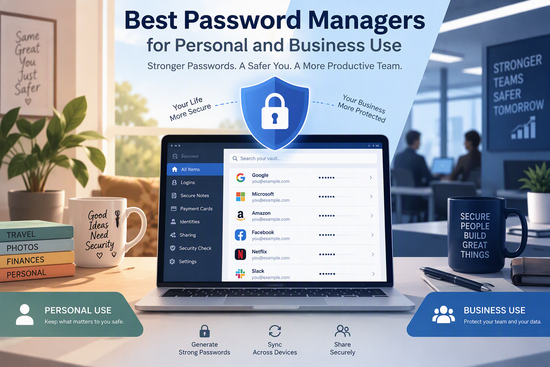
In today’s digital world, passwords protect almost everything we do online. From personal email accounts and social media profiles to online banking, business applications, customer databases, and cloud storage, we rely on passwords to keep sensitive information secure.
However, remembering dozens or even hundreds of passwords can be challenging. Many people still reuse passwords across multiple websites, choose combinations that are easy to guess, or store login details in unsecured documents. These habits can expose personal information and business systems to cyberattacks, identity theft, and data breaches.
This is where password managers become essential.
A password manager is a security application that stores login credentials in an encrypted digital vault. It can generate strong, unique passwords, automatically fill in login forms, and synchronize credentials across devices. Business-focused solutions also provide secure password sharing, employee access controls, administrative tools, and activity monitoring.
Whether you want to protect your personal accounts or improve your company’s cybersecurity, choosing the right password manager can make a significant difference.
In this guide, we will explore the best password managers for personal and business use in 2026, compare their features, discuss their advantages, and explain how to choose the right solution.
Why Do You Need a Password Manager?
Using the same password across multiple websites creates a serious security risk. If one website experiences a data breach, attackers may try the stolen credentials on other services. This technique is known as credential stuffing.
A password manager helps prevent this problem by creating and storing a different, strong password for every account.
Here are some of the main benefits:
- Stronger passwords: Generate long, complex, and unique passwords for every account.
- Better security: Store sensitive login information in an encrypted vault.
- Convenience: Automatically fill in usernames and passwords when logging in.
- Time savings: Avoid manually remembering or entering dozens of credentials.
- Secure sharing: Share selected passwords with family members or authorized employees.
- Cross-device access: Access your credentials across supported computers, smartphones, and tablets.
- Improved account management: Identify weak, reused, or compromised passwords with available security tools.
For businesses, password managers offer additional benefits. They can help IT administrators control employee access, manage shared credentials, simplify onboarding, and revoke access when employees leave the organization.
Best Password Managers for Personal and Business Use
Let’s look at some of the leading password management solutions available in 2026.
1. Bitwarden – Best Overall Password Manager
Bitwarden is one of the strongest choices for people and businesses looking for a combination of security, affordability, and flexibility. It is particularly attractive because it offers a useful free personal plan and open-source software.
Its applications are available across major operating systems and browsers, making it easy to access passwords from different devices.
Key features:
- End-to-end encrypted password storage.
- Automatic password generation and autofill.
- Secure password sharing.
- Cross-device synchronization.
- Passkey management.
- Secure notes and other sensitive information storage.
- Open-source applications.
- Business administration and team-sharing features.
Personal use:
Individuals can use Bitwarden to organize website logins, generate unique passwords, and synchronize their credentials across devices. Its free plan is especially attractive for people who want reliable password management without paying a subscription.
Business use:
Businesses can use Bitwarden’s organizational plans to share credentials securely, manage employee access, and establish centralized password management policies.
Advantages:
- Generous free personal plan.
- Open-source code.
- Affordable paid subscriptions.
- Support for multiple platforms.
- Flexible business options.
Disadvantages:
- The interface may feel less polished than some premium alternatives.
- Certain advanced security and organizational features require paid plans.
Best for: Individuals, freelancers, startups, small businesses, and organizations looking for an affordable password management solution.
Website: https://bitwarden.com/
2. 1Password – Best for Families and Businesses
1Password is a popular password manager known for its polished interface, convenient applications, and advanced security features. It is particularly suitable for families, professionals, and organizations that need reliable credential management.
One of its distinctive security features is the Secret Key, which works alongside the account password to provide additional protection.
Key features:
- Secure password storage and autofill.
- Password generation.
- Secure sharing and shared vaults.
- Passkey support.
- Two-factor authentication support.
- Security alerts through Watchtower.
- Travel Mode.
- Business administration and access management.
- Support for storing secure notes and documents.
Personal use:
Individuals can organize passwords, credit card information, secure notes, and other sensitive details in separate vaults. Families can share selected information without exposing every personal credential.
Business use:
1Password offers business-oriented plans with centralized administration, shared vaults, employee management, and access controls. Larger organizations can also evaluate integrations with identity management and directory services.
Advantages:
- Excellent user experience.
- Strong security architecture.
- Convenient sharing features.
- Useful family and business management capabilities.
- Broad platform support.
Disadvantages:
- No permanent free personal plan.
- Subscription costs may be higher than some alternatives.
- Some advanced business features require higher-tier plans.
Best for: Families, growing businesses, professional teams, and organizations that prioritize ease of use and advanced access management.
Website: https://1password.com/
3. Proton Pass – Best for Privacy-Conscious Users
Proton Pass is a password manager developed by Proton, a company known for privacy-focused digital services.
It is an attractive option for individuals who want strong privacy protections, encrypted password storage, and additional tools for protecting their online identity.
Key features:
- End-to-end encrypted password storage.
- Open-source applications.
- Passkey support.
- Password generation and autofill.
- Secure notes.
- Hide-my-email aliases.
- Secure sharing options.
- Applications for major platforms.
Personal use:
Proton Pass allows individuals to organize their online accounts and protect their credentials. Its hide-my-email feature is particularly useful when registering for websites, newsletters, and online services without revealing a primary email address.
Business use:
Proton Pass for Business provides organizations with password management and secure sharing capabilities. Companies can evaluate its administrative features and available integrations when choosing a solution for their teams.
Advantages:
- Strong privacy-focused approach.
- Open-source applications.
- Useful free personal plan.
- Email alias functionality.
- Integration with the broader Proton ecosystem.
Disadvantages:
- Some advanced sharing and organizational features require paid subscriptions.
- Its business ecosystem is less established than some long-standing competitors.
Best for: Privacy-conscious individuals, freelancers, small teams, and businesses already using Proton services.
Website: https://proton.me/pass
4. Dashlane – Best for Password Security and Monitoring
Dashlane is a feature-rich password manager designed to simplify account security. It combines password storage, autofill, security monitoring, and additional protection features in a user-friendly platform.
It is suitable for individuals and organizations that want more than basic password storage.
Key features:
- Encrypted password storage.
- Password generation and autofill.
- Passkey support.
- Password health monitoring.
- Security alerts.
- Secure credential sharing.
- Business administration features.
- Additional security services depending on the subscription.
Personal use:
Individuals can use Dashlane to store passwords, monitor password security, and simplify the login process across supported devices.
Business use:
Dashlane’s business solutions help organizations manage employee credentials, share access securely, and monitor password-related security risks.
Advantages:
- User-friendly interface.
- Comprehensive password management features.
- Useful security monitoring.
- Business-focused administration capabilities.
Disadvantages:
- No permanent free personal plan.
- Premium subscriptions can be more expensive than budget alternatives.
- Some features are restricted to particular subscription levels.
Best for: Professionals, security-conscious individuals, and businesses looking for a feature-rich password management platform.
Website: https://www.dashlane.com/
5. Keeper Security – Best for Business Password Management
Keeper Security is particularly suitable for businesses that require advanced security controls and centralized management of employee credentials.
It offers password management alongside additional security products designed for organizations with more demanding security requirements.
Key features:
- Encrypted password vaults.
- Password generation and autofill.
- Secure sharing.
- Multi-factor authentication support.
- Administrative access controls.
- Security auditing and reporting.
- Emergency access and recovery options.
- Business-oriented security integrations.
Personal use:
Individuals can use Keeper to store passwords, secure sensitive information, and access their credentials across supported devices.
Business use:
Keeper provides centralized password management for organizations. Administrators can manage employee accounts, control access to shared credentials, and monitor security-related activities.
Its business capabilities can be particularly useful for companies that need stronger oversight of privileged accounts and sensitive information.
Advantages:
- Strong focus on business security.
- Advanced administrative capabilities.
- Useful access management features.
- Suitable for organizations with demanding security requirements.
Disadvantages:
- Some advanced features require additional subscriptions or add-ons.
- The range of available features may be excessive for individual users.
- Costs should be evaluated carefully when purchasing multiple business services.
Best for: Small and medium-sized businesses, IT departments, security teams, and organizations with strict access management requirements.
Website: https://www.keepersecurity.com/
6. NordPass – Best for Simplicity and Ease of Use
NordPass is a password manager developed by the company behind NordVPN. It focuses on making password management straightforward while providing security features for individuals and organizations.
Its simple interface makes it a convenient choice for people who want to improve their password habits without dealing with complicated software.
Key features:
- Encrypted password storage.
- Password generation.
- Automatic password filling.
- Passkey management.
- Multi-factor authentication support.
- Secure password sharing.
- Password health monitoring.
- Business administration features.
Personal use:
Individuals can use NordPass to organize their login details, generate stronger passwords, and access credentials on supported devices.
Business use:
NordPass Business provides organizations with tools for managing employee credentials, sharing passwords, and controlling access to business accounts.
Advantages:
- Simple and intuitive interface.
- Convenient password management.
- Support for major platforms.
- Business-focused features.
- Useful security monitoring.
Disadvantages:
- The free plan has device restrictions.
- Some advanced capabilities require a paid subscription.
- Businesses should compare administrative features across subscription tiers.
Best for: Individuals, families, freelancers, and small businesses that value simplicity and convenience.
Website: https://nordpass.com/
7. KeePassXC – Best Free Offline Password Manager
KeePassXC is an open-source password manager designed for users who prefer local password storage rather than relying on a cloud-based service.
Unlike many commercial password managers, KeePassXC stores credentials in an encrypted database that users control themselves.
Key features:
- Local encrypted password database.
- Strong password generation.
- Automatic password filling through supported integrations.
- Secure notes.
- Open-source software.
- Offline password access.
- Database protection using a master password and optional key files.
Personal use:
Individuals can use KeePassXC to manage passwords without depending on a cloud account. It is particularly useful for technically experienced users who prefer controlling where their password database is stored.
Business use:
Small businesses with technical staff can use KeePassXC for locally managed credential databases. However, organizations should carefully plan secure sharing, backups, access controls, and employee offboarding.
Advantages:
- Completely free and open source.
- Local password storage.
- No mandatory cloud subscription.
- Good control over the password database.
- Useful for offline access.
Disadvantages:
- Less convenient synchronization between devices.
- Sharing passwords with teams requires additional planning.
- Not designed as a centralized enterprise password management platform.
- Users are responsible for secure backups and database management.
Best for: Technical users, privacy-conscious individuals, and small organizations that prefer locally controlled password storage.
Website: https://keepassxc.org/
8. Apple Passwords – Best for Apple Users
Apple Passwords is a built-in password management application available within Apple’s ecosystem. It provides a convenient way to store passwords, passkeys, verification codes, and Wi-Fi credentials.
For people who primarily use iPhones, iPads, and Macs, it offers a simple password management experience without requiring a separate subscription.
Key features:
- Password storage and autofill.
- Passkey management.
- Password suggestions.
- Security recommendations.
- Verification code support.
- Synchronization through iCloud Keychain.
- Sharing selected passwords with trusted groups.
Personal use:
Apple users can manage their website and application credentials directly through the Passwords app. It can also identify certain weak, reused, or compromised passwords.
Business use:
Apple Passwords can be convenient for individual professionals and small teams operating primarily within the Apple ecosystem. However, organizations requiring centralized employee administration, detailed access reporting, and advanced business sharing should consider a dedicated business password manager.
Advantages:
- Included with supported Apple devices.
- Easy to use.
- Convenient integration with Apple’s ecosystem.
- Supports passkeys.
- No separate password manager subscription required.
Disadvantages:
- Primarily designed for Apple users.
- Less suitable for mixed-device business environments.
- Limited centralized business administration.
Best for: iPhone, iPad, and Mac users who want convenient password management without additional software.
Password Manager Comparison: Which One Should You Choose?
The following table summarizes the main strengths of the password managers discussed above.
| Password manager | Best for | Free personal option |
|---|---|---|
| Bitwarden | Overall value and flexibility | Yes |
| 1Password | Families and businesses | No permanent free plan |
| Proton Pass | Privacy and email aliases | Yes |
| Dashlane | Security monitoring | No permanent free plan |
| Keeper | Business security | Limited free option |
| NordPass | Ease of use | Yes, with restrictions |
| KeePassXC | Offline password storage | Yes |
| Apple Passwords | Apple ecosystem | Yes |
Note: Free-plan availability, device limits, business features, and subscription conditions can change. Check the providers’ official websites for the latest details.
Best Password Managers for Personal Use
If your primary goal is protecting personal accounts, you probably do not need a complex business security platform.
Here are some recommendations based on different needs:
Best overall value: Bitwarden
Bitwarden offers a generous free plan, cross-device synchronization, and open-source applications. It is an excellent starting point for individuals who want strong password management without a recurring subscription.
Best premium experience: 1Password
1Password is a strong choice for people who value convenience, polished applications, and secure family sharing.
Best for privacy: Proton Pass
Proton Pass combines encrypted password management with privacy-focused features such as hide-my-email aliases.
Best offline option: KeePassXC
KeePassXC is ideal for people who prefer storing their credentials locally and managing their own encrypted database.
Best for Apple users: Apple Passwords
Apple Passwords is a convenient built-in option for people who primarily use Apple devices.
Best Password Managers for Business Use
Businesses have different requirements from individual users. In addition to storing passwords securely, they need to manage employee permissions, share credentials, monitor access, and maintain control over company accounts.
Here are some of the strongest options for business environments:
Best overall value: Bitwarden
Bitwarden is an attractive choice for startups and small businesses because of its flexible organizational plans, open-source approach, and relatively affordable pricing.
Best for growing teams: 1Password
1Password offers a polished experience, shared vaults, and administrative capabilities that can help growing organizations manage credentials.
Best for advanced security: Keeper
Keeper is worth considering for organizations that require detailed administrative controls, security monitoring, and additional security capabilities.
Best for privacy-focused organizations: Proton Pass
Proton Pass is an interesting option for businesses that prioritize privacy and want to integrate password management with other Proton services.
Best for straightforward deployment: NordPass
NordPass is worth evaluating for businesses that want an accessible interface and convenient credential management.
How to Choose the Right Password Manager
Choosing a password manager should not be based on price or popularity alone. The right solution depends on your security requirements, devices, team size, and preferred way of working.
Here are the most important factors to consider.
1. Encryption and Security Architecture
Security should be your first priority.
Look for a password manager that encrypts stored credentials and uses a well-documented security architecture. Many reputable providers use a zero-knowledge model, meaning the provider is designed not to have access to the unencrypted contents of your vault.
However, zero-knowledge claims should be evaluated alongside independent security audits, vulnerability disclosure practices, and account recovery procedures.
2. Multi-Factor Authentication
A password manager should support multi-factor authentication (MFA).
MFA adds another layer of protection by requiring additional verification when accessing an account. Depending on the provider, this may include authenticator applications, hardware security keys, or other supported methods.
For important accounts, prefer phishing-resistant authentication methods such as FIDO2 security keys or passkeys where available.
3. Cross-Platform Compatibility
Choose a password manager that works with the devices and browsers you regularly use.
For example, if you use Windows at work and an iPhone personally, make sure the password manager provides compatible applications and synchronization.
This is particularly important for businesses with employees using different operating systems.
4. Secure Password Sharing
For families and businesses, password sharing is an important consideration.
Look for features that allow you to share selected credentials without sending passwords through ordinary email or messaging applications.
Business solutions should also allow administrators to manage shared vaults and revoke access when necessary.
5. Business Administration and Access Controls
Organizations should evaluate administrative features carefully.
Useful capabilities include:
- Employee account management.
- Role-based access permissions.
- Shared company vaults.
- Single sign-on (SSO).
- Directory synchronization and automated provisioning.
- Activity logs and security reports.
- Centralized recovery and offboarding controls.
Not every business needs all these features. A small company with five employees may have very different requirements from an organization with hundreds of users.
6. Pricing and Subscription Plans
Many password managers offer free personal plans, but business subscriptions generally require payment.
Compare the total cost rather than focusing only on introductory discounts. Consider renewal prices, minimum user requirements, add-ons, taxes, and the features included in each subscription.
7. Backup and Account Recovery
A password manager becomes a central part of your digital security, so losing access to your vault can be a serious problem.
Understand how account recovery works before storing all your credentials in one place.
Keep recovery codes or emergency information in a separate, secure location and make sure you have a reliable backup strategy where applicable.
Password Security Best Practices for Individuals and Businesses
Even the best password manager cannot protect you from every cybersecurity threat. Good security practices are still essential.
Follow these recommendations to protect your accounts.
- Use a unique password for every account. Never reuse passwords across important websites or applications.
- Create a strong master password. Choose a long, memorable passphrase that you have never used elsewhere.
- Enable multi-factor authentication. Protect your password manager account with an additional authentication method.
- Use passkeys where supported. Passkeys can reduce reliance on traditional passwords and provide strong phishing resistance.
- Update compromised passwords. If a service reports a breach, change affected credentials promptly.
- Secure shared accounts. Give employees access only to the credentials they need.
- Remove unnecessary access. Revoke employee access when someone changes roles or leaves the company.
- Keep your software updated. Install security updates for your password manager, operating system, and browser.
- Review security alerts. Pay attention to weak passwords, suspicious activity, and breach notifications.
- Prepare for emergencies. Document secure recovery procedures so you do not lose access to important accounts.
Businesses should also establish written password management policies and provide employees with basic cybersecurity training.
Final Thoughts
Choosing the best password manager for personal and business use is an important step toward improving digital security.
For individuals, Bitwarden, Proton Pass, 1Password, and Apple Passwords offer useful options for managing everyday credentials. Those who prefer offline storage may find KeePassXC particularly appealing.
For businesses, Bitwarden, 1Password, Keeper, and NordPass are worth considering because they offer organizational features that go beyond basic password storage.
There is no single password manager that is perfect for everyone. The right choice depends on your budget, security requirements, device compatibility, and whether you need individual or team-based password management.
If you are just getting started, consider testing a reputable free personal password manager. If you are managing company credentials, evaluate a dedicated business plan with centralized administration and secure sharing.
Most importantly, stop reusing passwords, enable multi-factor authentication, and make password security part of your everyday digital routine.
A reliable password manager is not just a convenience. It is an important investment in protecting your personal information, business accounts, and digital identity.
Frequently Asked Questions (FAQs)
1. What is the best password manager for personal use?
Bitwarden is an excellent choice for most individuals because it offers a generous free plan, open-source applications, and cross-device synchronization. Proton Pass is another strong option for privacy-conscious users, while 1Password is a good premium alternative.
2. What is the best password manager for small businesses?
Bitwarden, 1Password, and Keeper are strong options for small businesses. They offer business-oriented features such as shared vaults, employee access management, and administrative controls. The best choice depends on company size, budget, and security requirements.
3. Are free password managers safe?
A reputable free password manager can provide strong security. However, you should evaluate its encryption architecture, security history, independent audits, authentication options, and account recovery process rather than assuming that a free product is automatically safe.
4. Can I use the same password manager for personal and business accounts?
Yes, many password managers support separate personal and organizational vaults. However, keeping personal and company credentials logically separated is important. Businesses should use organizational accounts and access policies rather than relying on employees’ personal subscriptions.
5. What happens if I forget my master password?
Recovery options vary between providers. Some offer emergency access, account recovery, recovery keys, or administrator-assisted recovery. Others may be unable to restore access to an encrypted vault without the necessary credentials. Always review the recovery process before choosing a provider.
6. Are password managers better than saving passwords in a browser?
Dedicated password managers often provide more flexibility, secure sharing, organizational controls, and advanced password management features. Built-in browser and operating system managers can still be useful, particularly for users with simple requirements.
7. Do businesses really need a password manager?
Yes. A business password manager can help prevent password reuse, improve credential sharing, reduce unauthorized access, and simplify employee onboarding and offboarding. It is especially valuable when employees need access to multiple business applications.
8. What is the difference between a personal and business password manager?
Personal password managers focus on individual account security and convenience. Business password managers add centralized administration, employee management, shared company vaults, access policies, reporting, and other organizational security features.