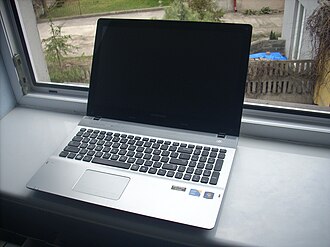
Choosing the right laptop is one of the most important decisions a student can make. Whether you are attending online classes, writing assignments, researching projects, creating presentations, or learning new technical skills, a reliable laptop can make studying easier and more productive.
However, with so many models available, finding the best laptop for students can be challenging. Some students need an affordable device for everyday schoolwork, while others require a powerful laptop for programming, graphic design, video editing, or engineering applications.
In this guide, we explore the top 10 best laptops for students in 2026, highlighting their main advantages, ideal users, and important features to consider before making a purchase.
What Should Students Look for in a Laptop?
Before choosing a laptop, consider your course requirements, budget, and daily study habits.
- Performance: A modern processor and sufficient memory help you multitask smoothly.
- Battery life: A long-lasting battery is useful for lectures, libraries, and study sessions away from power outlets.
- Portability: Lightweight laptops are easier to carry between classes.
- Storage: An SSD provides faster startup times and quicker access to files.
- Display quality: A clear, comfortable screen makes reading, writing, and studying more enjoyable.
- Price: Choose a laptop that meets your needs without paying for features you rarely use.
For general schoolwork, 8 GB of RAM can be sufficient, although 16 GB is a better target for multitasking and longer-term use. Students working with demanding creative or technical software may benefit from more memory and stronger graphics performance.
Top 10 Best Laptops for Students
1. Apple MacBook Air (M4)
Best for: University students who want a lightweight laptop with excellent battery life
The Apple MacBook Air with the M4 chip is a strong choice for students who value portability, smooth performance, and a premium design. Its lightweight construction makes it easy to carry around campus, while its responsive performance handles research, writing, presentations, video calls, and everyday multitasking.
The high-quality display is suitable for long study sessions, and the fanless design means the laptop operates silently during ordinary tasks.
Key advantages:
- Lightweight, premium design
- Strong performance for everyday academic work
- Excellent battery efficiency
- High-quality display and trackpad
- Good integration with other Apple devices
Potential drawback: The price can be high for students on a tight budget, and memory and storage upgrades may increase the cost.
Verdict: A great option for students who want a dependable laptop for several years and already use Apple devices.
2. Dell XPS 13
Best for: Students who want a compact Windows laptop
The Dell XPS 13 is designed for users who prefer a portable laptop without sacrificing everyday performance. Its compact size makes it suitable for carrying to lectures, working in libraries, and studying while travelling.
Depending on the configuration, it can offer a sharp display, modern processors, and enough performance for multitasking, office applications, browsing, and online learning.
Key advantages:
- Compact and travel-friendly design
- Premium build quality
- High-resolution display options
- Suitable for productivity and multitasking
- Windows compatibility for academic applications
Potential drawback: Premium configurations can be expensive, and port selection may be limited.
Verdict: A suitable choice for students who want a premium Windows laptop for daily academic use.
3. HP Pavilion 15
Best for: Students looking for an affordable everyday laptop
The HP Pavilion 15 family has been a popular option for students who need a practical laptop for assignments, research, online classes, and entertainment.
Depending on the model, it can offer a comfortable keyboard, a reasonably large screen, and enough processing power for everyday student tasks. It is particularly worth considering when a retailer offers a discounted configuration.
Key advantages:
- Practical screen size for studying
- Suitable for documents and presentations
- A variety of hardware configurations
- Often available at competitive prices
Potential drawback: Battery life, weight, display quality, and performance vary significantly by configuration.
Verdict: A sensible option for budget-conscious students who prefer a traditional laptop with a larger screen.
4. Lenovo IdeaPad Slim 5
Best for: Students who want value and everyday performance
The Lenovo IdeaPad Slim 5 series offers a balance of performance, portability, and price. Depending on the configuration, it can be suitable for writing reports, working with spreadsheets, attending online classes, and managing several browser tabs.
Some versions feature efficient processors, comfortable keyboards, and high-quality displays, making them attractive options for students who spend many hours studying.
Key advantages:
- Good balance of price and performance
- Comfortable typing experience
- Portable designs in several screen sizes
- Suitable for everyday productivity
- Multiple configurations to fit different budgets
Potential drawback: Specifications and display quality differ between models, so compare the exact version before buying.
Verdict: A strong all-round option for students who need a versatile laptop for school or university.
5. ASUS Zenbook 14 OLED
Best for: Students who prioritize display quality and portability
The ASUS Zenbook 14 OLED is worth considering if you spend a lot of time reading, watching educational videos, preparing presentations, or working with visual content.
Its OLED display can deliver rich colors and deep blacks, while its slim design makes it convenient to carry. Modern configurations also provide enough performance for most academic productivity tasks.
Key advantages:
- Vivid OLED display on applicable models
- Slim and portable construction
- Strong everyday productivity performance
- Premium design
- Useful for media consumption and visual work
Potential drawback: OLED models may cost more than basic laptops, and battery life depends on the configuration and usage.
Verdict: A good choice for students who want a portable Windows laptop with an excellent screen.
6. Acer Aspire 5
Best for: Students on a tight budget
The Acer Aspire 5 series is a practical starting point for students who need a laptop for essential academic activities without spending too much.
It can handle word processing, browsing, email, spreadsheets, video calls, and online learning when equipped with suitable hardware. Different configurations make it possible to choose a model that fits your budget.
Key advantages:
- Often competitively priced
- Suitable for everyday academic tasks
- Traditional laptop design
- Multiple processor and storage options
- Good potential value during sales
Potential drawback: Entry-level versions may have limited memory, modest displays, or less impressive battery life.
Verdict: One of the laptop families worth comparing when affordability is your main priority.
7. Microsoft Surface Laptop
Best for: Students who value portability and a clean Windows experience
The Microsoft Surface Laptop combines a minimalist design with a comfortable keyboard, a responsive touchpad, and a display designed for everyday productivity.
It is well suited to students who spend most of their time taking notes, researching online, working with documents, and attending virtual classes. Available specifications vary by generation, so check the processor, memory, and software compatibility before choosing a particular model.
Key advantages:
- Portable, refined design
- Comfortable keyboard for note-taking
- Good everyday productivity experience
- Suitable for online classes and office applications
- Windows ecosystem compatibility
Potential drawback: Some configurations are expensive, and certain models may offer fewer ports than larger laptops.
Verdict: A compelling option for students who want a stylish, portable laptop for everyday university life.
8. Lenovo ThinkPad E14
Best for: Business, IT, and computer science students
The Lenovo ThinkPad E14 is a business-oriented laptop family that can also serve students well. ThinkPad models are known for their practical keyboards, and suitable configurations can provide the performance needed for coding, spreadsheets, research, and productivity applications.
Students should pay attention to the processor, memory, screen, and connectivity options when comparing configurations.
Key advantages:
- Keyboard suited to extensive typing
- Practical design for work and study
- Configurations suitable for programming and multitasking
- Useful connectivity options on many models
- A business-focused approach to productivity
Potential drawback: It may not be as thin or visually striking as some premium consumer laptops, and specifications vary.
Verdict: A worthwhile choice for students who prioritize typing comfort, practical features, and productivity.
9. Acer Swift Go 14
Best for: Students who need a lightweight laptop for busy schedules
The Acer Swift Go 14 is designed for portability and everyday productivity. Depending on the version, it can provide modern processing power, a compact design, and a high-quality display.
It is a useful option for students who move frequently between lectures, study spaces, and home, but still want enough performance for multitasking and demanding browser-based work.
Key advantages:
- Portable 14-inch form factor
- Modern processor options
- Suitable for research and multitasking
- Display options that may suit visual work
- Convenient for commuting students
Potential drawback: Battery life, keyboard experience, and screen specifications depend on the exact model.
Verdict: A good candidate for students who want portability without moving to a very small screen.
10. ASUS TUF Gaming A15
Best for: Students who need gaming and graphics performance
Not every student needs a gaming laptop, but some courses and hobbies benefit from dedicated graphics performance. The ASUS TUF Gaming A15 is worth considering for students who play games, work with supported 3D applications, or need more graphics power than a typical thin-and-light laptop provides.
Depending on the configuration, it can offer a powerful processor, dedicated graphics, and a high-refresh-rate display.
Key advantages:
- Dedicated graphics on applicable configurations
- Suitable for gaming and supported creative workloads
- Performance-oriented hardware
- High-refresh-rate screen options
- Useful for students with demanding graphics needs
Potential drawback: Gaming laptops are typically heavier, have shorter battery life under demanding workloads, and may cost more than necessary for basic schoolwork.
Verdict: A suitable choice for students who need gaming capabilities or graphics performance alongside their academic work.
Quick Comparison: Best Student Laptops
| Laptop | Best suited for | Main strength |
|---|---|---|
| MacBook Air (M4) | University students | Portability and efficiency |
| Dell XPS 13 | Windows users | Compact premium design |
| HP Pavilion 15 | Budget-conscious students | Larger-screen everyday computing |
| Lenovo IdeaPad Slim 5 | General student use | Value and versatility |
| ASUS Zenbook 14 OLED | Media and visual work | OLED display options |
| Acer Aspire 5 | Tight budgets | Affordable configurations |
| Microsoft Surface Laptop | Everyday productivity | Portable design |
| Lenovo ThinkPad E14 | IT and business students | Keyboard and productivity |
| Acer Swift Go 14 | Commuting students | Lightweight form factor |
| ASUS TUF Gaming A15 | Gaming and graphics | Dedicated GPU options |
Note: These are laptop families rather than identical fixed configurations. Specifications, prices, availability, and even model names can vary by country and generation. Check the exact configuration before purchasing.
Which Laptop Is Best for Your Field of Study?
The best student laptop depends on the software you need to run.
- Arts and humanities: Prioritize portability, battery life, a comfortable keyboard, and a clear screen.
- Business and economics: Look for a good keyboard, 16 GB of RAM if affordable, and sufficient storage for documents and spreadsheets.
- Computer science: Choose a compatible processor, ideally 16 GB or more of RAM, and enough storage for programming tools and virtual machines.
- Graphic design and video editing: Consider 16–32 GB of RAM, a color-accurate display, and stronger graphics performance where required.
- Engineering and architecture: Check the minimum requirements for your course’s CAD, simulation, and 3D software. Dedicated graphics may be necessary.
- Online learning: Prioritize a good webcam, microphone, reliable Wi-Fi, and battery life.
Students should also check whether their university provides software licenses or requires a specific operating system.
How Much Should a Student Spend on a Laptop?
Your budget should reflect what you need rather than how expensive a laptop looks.
Entry-level budget: Look for a reliable machine with an SSD, a modern supported processor, and enough memory for basic coursework. Refurbished business laptops may also be worth considering from reputable sellers.
Mid-range budget: This is often the best category for students who want a balance of speed, portability, battery life, and long-term usefulness. Aim for 16 GB of RAM and a 512 GB SSD when your budget allows.
Premium budget: Higher-priced laptops may offer better displays, lighter designs, stronger performance, or longer battery life. They are most worthwhile when those features will make a real difference to your studies.
Gaming and specialist budget: Students studying 3D design, video production, or engineering should budget according to their software’s actual hardware requirements rather than buying a gaming laptop automatically.
Tips for Choosing the Best Student Laptop
Before making your final decision, keep these tips in mind:
- Check course requirements first. Some applications run only on particular operating systems or need specific hardware.
- Prioritize memory and storage. For many students, 16 GB of RAM and a 512 GB SSD are a useful target.
- Look for realistic battery life. Manufacturer estimates may differ from real-world use.
- Compare weight and screen size. A lightweight 13- or 14-inch laptop may be more convenient to carry, while a 15- or 16-inch screen can be more comfortable for some tasks.
- Check the warranty. Reliable local support can be valuable if your laptop is essential for coursework.
- Consider refurbished options. A professionally refurbished model from a reputable seller may offer better specifications for the same budget.
- Avoid paying for unnecessary power. If you mainly write essays and attend online classes, you probably do not need an expensive gaming laptop.
Frequently Asked Questions
What is the best laptop for students in 2026?
The best choice depends on your budget, course requirements, and preferred operating system. The MacBook Air M4 is a strong option for students who value portability and efficiency, while the Lenovo IdeaPad Slim 5 and Acer Aspire 5 families are worth comparing for value-oriented Windows options.
Is a MacBook or Windows laptop better for students?
Both can be excellent. MacBooks offer strong efficiency and integration with Apple devices. Windows laptops provide a wide range of prices, hardware options, and compatibility with many academic and specialist applications. Check your course requirements before deciding.
How much RAM does a student need?
Eight gigabytes can work for basic schoolwork, but 16 GB is a better target for multitasking and longer-term use. Students running virtual machines, complex creative applications, or demanding technical software may need 32 GB or more.
Are Chromebooks good for students?
Yes, Chromebooks can be excellent for browser-based coursework, document editing, video calls, and online learning. However, they may not support the desktop applications required for some engineering, design, programming, or specialist university courses.
How long should a student laptop last?
A good laptop can often serve a student for around four to six years, depending on its initial specifications, build quality, maintenance, and workload. Choosing adequate memory, storage, and a model with a suitable support period can help extend its useful life.
Final Verdict
The best laptop for students is not necessarily the most expensive or powerful model. It is the one that reliably supports your coursework, fits your budget, and is comfortable to use every day.
The MacBook Air M4 is worth considering for portability and efficiency. The Lenovo IdeaPad Slim 5 is a versatile all-round candidate, while the Acer Aspire 5 can be a sensible starting point for students on tighter budgets. For technical courses, a ThinkPad or a suitable performance-oriented laptop may be a better fit.
Before purchasing, compare current local prices, check your university’s software requirements, and choose a configuration that will remain useful throughout your studies.
.JPG)