Gaming Laptop vs. Gaming PC: Which Is Better in 2026?
Gaming has become more popular than ever, and choosing the right gaming setup is an important decision for every gamer. Whether you enjoy competitive shooters, open-world adventures, racing games, or multiplayer titles, your hardware can have a major impact on your gaming experience.
One of the biggest questions gamers face is: Should you buy a gaming laptop or a gaming PC?
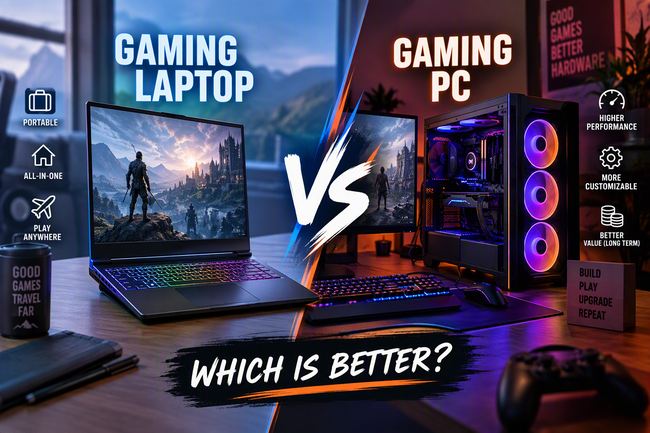
Both options have advantages and disadvantages. Gaming laptops offer portability and convenience, while desktop gaming PCs typically provide better performance per dollar, greater upgrade flexibility, and more customization options.
In this guide, we will compare gaming laptops and gaming PCs based on performance, price, portability, cooling, upgrades, and overall value to help you decide which option is best for your needs.
What Is a Gaming Laptop?
A gaming laptop is a portable computer designed to run modern video games. Unlike ordinary laptops, gaming laptops generally feature more powerful processors, dedicated graphics cards, improved cooling systems, and displays with higher refresh rates.
Many gaming laptops can run demanding games while also supporting streaming, content creation, and other performance-intensive tasks.
Their biggest advantage is convenience. You can take your gaming system to school, work, a friend’s house, or while travelling without transporting a separate monitor and desktop tower.
However, this portability comes with compromises. Gaming laptops can be expensive for the performance they deliver, and their compact designs make cooling and hardware upgrades more challenging.
What Is a Gaming PC?
A gaming PC is a desktop computer built specifically for gaming. It typically consists of a tower containing the processor, graphics card, memory, storage, and cooling components, along with a separate monitor, keyboard, and mouse.
Gaming PCs are popular among gamers who prioritize high performance, customization, and long-term upgrade options.
Because desktop systems have more room for cooling and larger components, they can often sustain higher performance under heavy workloads than similarly priced gaming laptops.
Another major advantage is flexibility. You can choose individual components, replace outdated hardware, and customize almost every aspect of your setup.
The main disadvantage is that a desktop gaming PC is not portable in the same way as a laptop and usually requires more desk space.
Gaming Laptop vs. Gaming PC: Quick Comparison
| Feature | Gaming laptop | Gaming PC |
|---|---|---|
| Gaming performance | Strong, but limited by power and cooling | Usually better at the same budget |
| Portability | Excellent | Very limited |
| Price-to-performance | Generally lower | Generally better |
| Upgrade options | Limited | Extensive |
| Cooling | More constrained | More room for cooling |
| Desk space | Compact setup | Requires more space |
| Power consumption | Often lower overall | Can be significantly higher |
| Repairability | Often more difficult | Usually easier |
| Customization | Limited | Extensive |
| Best for | Gaming on the go | Maximum performance and flexibility |
Actual results depend on the specific hardware, price, power limits, and configuration being compared.
1. Performance: Which Is Better for Gaming?
Performance is one of the most important factors when choosing between a gaming laptop and a gaming PC.
Desktop gaming PCs generally have the advantage because they can accommodate larger graphics cards, higher power limits, and more substantial cooling systems. This allows many desktop components to deliver higher sustained performance.
For example, a desktop equipped with a powerful graphics card may achieve higher frame rates and handle demanding graphics settings more comfortably than a laptop with a similarly named GPU.
However, gaming laptops have become increasingly capable. A modern laptop with a suitable dedicated graphics processor can deliver excellent performance in popular competitive and single-player games.
Winner: Gaming PC.
If you want the highest possible frame rates, better performance at high resolutions, or more graphics power for demanding games, a desktop gaming PC is generally the better choice for your money.
2. Price: Which Offers Better Value?
Budget is another important consideration.
Gaming laptops combine a computer, display, keyboard, trackpad, battery, and cooling system into one device. This convenience adds cost, meaning that a gaming laptop and a desktop PC with similar advertised specifications may not deliver the same gaming performance.
Desktop gaming PCs often provide better value because more of your budget goes toward the components responsible for gaming performance.
However, remember that a desktop setup may require additional purchases, including a monitor, keyboard, mouse, headset, and operating system if these are not already available.
A gaming laptop includes most of the essential hardware in its purchase price.
Winner: Gaming PC for raw performance per dollar; gaming laptop for an all-in-one setup.
If you already own a monitor and peripherals, building or buying a desktop can be especially cost-effective. If you need an entire gaming setup and frequently travel, a laptop may offer greater convenience.
3. Portability: Which Is Easier to Carry?
Portability is where gaming laptops clearly stand out.
A gaming laptop allows you to play games almost anywhere you can find a suitable power outlet. You can bring it to university, take it on trips, or use it in different rooms at home.
This flexibility makes gaming laptops particularly attractive to students, frequent travellers, and people who do not have a permanent gaming space.
A desktop gaming PC, on the other hand, is designed to stay in one place. Moving it requires transporting the tower, monitor, cables, and accessories. Large components can also make transportation inconvenient.
Although some desktop systems are compact, they still require a separate display and power source.
Winner: Gaming laptop.
If you need one computer for gaming, studying, working, and travelling, a gaming laptop is usually the more practical option.
4. Graphics and Visual Quality
Both gaming laptops and gaming PCs can deliver impressive visuals, but the desktop generally has more room for powerful graphics hardware.
Desktop graphics cards are available in a wide range of performance levels, making it easier to build a system for 1080p, 1440p, or 4K gaming.
A desktop also allows you to select your own monitor. You can choose an ultrawide display, a high-refresh-rate gaming monitor, or a large 4K screen depending on your preferences.
Gaming laptops offer integrated displays, often with high refresh rates and good image quality. Some premium models also feature OLED panels and other advanced display technologies.
However, laptop graphics performance depends heavily on the GPU’s power limits and cooling design. The same GPU name does not guarantee the same performance in a desktop and a laptop.
Winner: Gaming PC for maximum graphics performance and display flexibility.
A gaming laptop remains an excellent choice if you prefer a built-in screen and want a complete setup that is ready to use.
5. Cooling and Noise
Gaming hardware produces heat, especially when running demanding games for long periods.
Desktop gaming PCs generally have an advantage because their larger cases can accommodate bigger heatsinks, multiple fans, and liquid-cooling systems. Good airflow helps keep temperatures under control and maintain consistent performance.
Gaming laptops have much less room for cooling hardware. Their fans may become noticeably loud during demanding games, and temperatures can rise quickly in compact designs.
This does not mean all gaming laptops overheat. Well-designed models can manage heat effectively, but performance and noise vary between manufacturers and configurations.
Desktop computers can also become noisy if they use aggressive fan settings or poorly designed cooling systems.
Winner: Gaming PC.
For long gaming sessions, quieter operation, and greater cooling flexibility, a desktop generally has the advantage.
6. Upgrades and Future-Proofing
One of the biggest benefits of a desktop gaming PC is its upgrade potential.
As games become more demanding, you can replace individual components instead of buying an entirely new computer. Depending on your system, upgrades may include:
- A more powerful graphics card
- A faster processor, if the motherboard supports it
- Additional RAM
- A larger or faster SSD
- Improved cooling
- A new power supply when required
- A different monitor
Gaming laptops offer fewer upgrade options. Many models allow you to replace or expand the SSD, and some support replaceable or expandable RAM. Others have memory soldered directly to the motherboard.
The processor and graphics card are usually not upgradeable in a conventional gaming laptop.
As a result, an aging gaming laptop may eventually need to be replaced, while a desktop can often be improved gradually.
Winner: Gaming PC.
If you want a system that can evolve with your needs, a desktop gaming PC is usually the better long-term investment.
7. Battery Life and Power Consumption
Gaming laptops include batteries, allowing them to operate without being connected to an outlet for limited periods.
However, gaming is power-intensive. Running demanding games on battery power typically reduces battery life and may limit performance. For the best gaming experience, most gaming laptops should be plugged in.
Desktop gaming PCs do not have built-in batteries and require a constant power supply.
In terms of electricity use, the answer depends on the hardware. Gaming laptops often consume less total power because their components are designed for lower power limits. Powerful desktop systems can draw considerably more electricity, particularly under heavy gaming loads.
However, a powerful laptop can still consume substantial energy, and a desktop’s total consumption depends on its graphics card, processor, monitor, and workload.
Winner: Gaming laptop for mobility; often gaming laptop for lower total power consumption at comparable usage levels.
If electricity costs matter to you, compare actual system power consumption rather than relying only on the product category.
8. Comfort and Gaming Experience
Your gaming experience depends on more than frame rates.
Gaming laptops provide an integrated keyboard, display, and trackpad, making them convenient for casual gaming and travel. However, their screens are generally smaller than desktop monitors, and the keyboard layout may feel cramped during extended sessions.
Desktop gaming PCs allow you to customize your setup. You can select an ergonomic keyboard, a comfortable gaming mouse, a large monitor, a dedicated headset, and a chair suited to long sessions.
You can also position your monitor at eye level and arrange your peripherals according to your preferences.
Winner: Gaming PC for a customizable gaming environment.
For players who spend several hours gaming at a desk, a well-designed desktop setup can provide greater comfort.
9. Which Is Better for Students and Professionals?
For students and professionals, the best option depends on whether portability or performance matters more.
A gaming laptop can serve as an all-in-one computer for assignments, video calls, programming, creative applications, and gaming. It is especially useful if you regularly move between home, university, and other locations.
A desktop gaming PC makes more sense if you already have a separate laptop for studying or working and want a dedicated high-performance gaming system at home.
For demanding workloads such as 3D rendering, video editing, simulation, and game development, a desktop may deliver more performance for the same budget. However, the software requirements and specific hardware configuration should guide your decision.
Winner: Gaming laptop for mobile students; gaming PC for stationary, performance-focused users.
10. Longevity and Maintenance
Both gaming laptops and desktop gaming PCs can last for several years, but maintenance and repair options differ.
Desktop PCs are often easier to clean, repair, and upgrade. Dust can be removed from accessible fans and filters, and individual components can usually be replaced when necessary.
Gaming laptops require more careful maintenance because their components are packed into a smaller space. Battery capacity also declines with use, and repairs can be more expensive when components are difficult to access.
Nevertheless, a well-maintained gaming laptop can provide years of useful performance. Build quality, cooling, usage patterns, and the initial hardware configuration all affect its lifespan.
Winner: Gaming PC for repairability and upgrade flexibility.
A desktop is generally easier to maintain over the long term, while a laptop offers the advantage of a complete, compact system.
Gaming Laptop vs. Gaming PC: Which Should You Buy?
The right choice becomes easier when you identify your main priority.
Choose a gaming laptop if:
- You travel frequently or attend university.
- You want to game in different locations.
- You need one device for work, study, and entertainment.
- You have limited space for a permanent gaming setup.
- You prefer a computer that includes its own screen and keyboard.
Choose a gaming PC if:
- You want the best gaming performance for your budget.
- You prefer higher frame rates or higher-resolution gaming.
- You want to upgrade individual components in the future.
- You have a dedicated gaming space.
- You want greater control over cooling, noise, and peripherals.
Final Verdict: Gaming Laptop or Gaming PC?
So, which is better: a gaming laptop or a gaming PC?
For most gamers who prioritize performance, upgradeability, and long-term value, a desktop gaming PC is the better choice. It typically offers stronger gaming performance for the money and provides more flexibility when your hardware needs change.
However, a gaming laptop is the better choice for portability and convenience. It combines the essential components into one device and allows you to game, study, and work wherever you go.
Ultimately, the best option depends on your budget, lifestyle, and gaming habits. If you want maximum performance at home, choose a desktop. If you need gaming power that travels with you, choose a laptop.
Before making a purchase, compare real-world benchmarks, total setup costs, warranty coverage, and the requirements of the games you want to play.