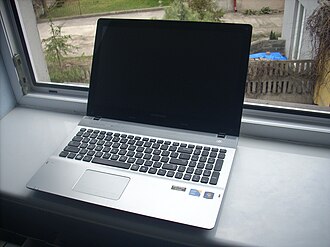
Finding the right laptop for work and study doesn’t have to mean spending a fortune. Whether you’re a student attending online classes, a professional working from home, or someone who needs a reliable device for everyday tasks, there are plenty of affordable laptops that offer excellent value for money.
The best budget laptop should provide dependable performance, comfortable typing, good battery life, and enough storage for your files and applications. Instead of paying for features you may never use, focus on the specifications that match your daily needs.
In this guide, we’ll explore the best types of budget laptops for work and study, the features worth prioritizing, and practical tips for choosing a device that fits your budget.
Why Choose a Budget Laptop?
Budget laptops have become increasingly capable, making them suitable for many everyday activities. You can use an affordable model to write documents, attend video meetings, research assignments, browse the internet, manage spreadsheets, and watch educational videos.
For most students and office workers, an expensive premium laptop isn’t necessary. A well-chosen budget device can handle routine tasks smoothly while leaving more money available for other priorities.
Here are some key benefits of choosing an affordable laptop:
- Lower upfront cost: Keep your spending under control without sacrificing essential functionality.
- Reliable everyday performance: Handle common office, educational, and internet-based tasks.
- Portable designs: Many affordable models are lightweight enough for commuting between home, school, and work.
- Flexible options: Choose between Windows laptops, Chromebooks, and other devices depending on your requirements.
- Good value for money: Spend on practical features rather than premium extras you may not need.
Best Budget Laptops for Work and Study
There isn’t one perfect laptop for everyone. The best choice depends on your budget, preferred operating system, and the applications you use. The following categories highlight some popular laptop families and the users they suit best.
1. Acer Aspire Series — Best for Everyday Productivity
The Acer Aspire range is worth considering if you need an affordable Windows laptop for schoolwork, office tasks, and everyday computing.
Many Aspire configurations offer a practical combination of modern processors, Full HD displays, SSD storage, and a comfortable keyboard. Depending on the model, you may also find enough memory to keep several browser tabs and productivity applications open simultaneously.
Best for: Students, office workers, remote employees, and home users.
What to look for: An Intel Core i3 or AMD Ryzen 3 processor from a recent generation or better, at least 8 GB of RAM, and a 256 GB SSD. A 16 GB RAM configuration is preferable if your budget allows.
2. Lenovo IdeaPad Series — Best for Students
Lenovo IdeaPad laptops are popular choices for users who want a straightforward device for studying, writing, and everyday productivity.
A suitable IdeaPad can handle research, presentations, video lectures, online learning platforms, and document editing. Many models also feature comfortable keyboards, which are particularly useful when writing lengthy assignments or reports.
Because the IdeaPad name covers many configurations, compare the exact specifications before buying. Entry-level versions may differ significantly from more powerful models.
Best for: University students, school students, and users who frequently type documents.
What to look for: A Full HD screen, 8–16 GB of RAM, SSD storage, a decent webcam, and enough battery life for your typical school or workday.
3. ASUS Vivobook Series — Best for Versatility
ASUS Vivobook laptops offer a range of configurations for people who want a balance between productivity, portability, and everyday entertainment.
Depending on the model, you may get a modern processor, a relatively slim design, a good-quality display, and sufficient performance for multitasking. These features make the series worth exploring if you regularly switch between work, studying, video calls, and personal activities.
Best for: Freelancers, students, remote workers, and everyday users.
What to look for: A recent Intel Core or AMD Ryzen processor, 16 GB of RAM if possible, a Full HD or better display, and a useful selection of ports.
4. HP 14 and HP 15 Series — Best for Home and Office Tasks
HP’s 14-inch and 15-inch laptop families include a variety of affordable configurations designed for everyday computing.
A 14-inch model can be convenient if you carry your laptop regularly, while a 15.6-inch model may provide more screen space for spreadsheets, documents, and multitasking.
These laptops are suitable for common office applications, web browsing, online meetings, and educational tasks, provided you choose a configuration with adequate memory and storage.
Best for: Home-office workers, administrative professionals, and students.
What to look for: At least 8 GB of RAM, a solid-state drive, a comfortable keyboard, and a webcam suitable for video conferencing.
5. Acer Chromebook Plus and Other Chromebooks — Best for Web-Based Study
Chromebooks are an excellent option for people whose work mainly takes place in a web browser. They use ChromeOS and are designed around internet services, cloud storage, and web applications.
They can be especially useful for students who use Google Docs, Google Classroom, online research tools, email, and browser-based learning platforms. Chromebook Plus models offer stronger hardware requirements than basic Chromebooks, making them worth comparing if you frequently multitask.
However, Chromebooks are not ideal for everyone. Before purchasing one, confirm that your essential applications work on ChromeOS. Specialized Windows software, certain desktop applications, and some professional tools may not be supported.
Best for: School students, online learners, and users who primarily work in the browser.
What to look for: A Full HD display, 8 GB of RAM or more, sufficient local storage, good battery life, and support for the applications you need.
6. Refurbished Business Laptops — Best for Maximum Value
A refurbished business laptop can be one of the smartest choices when your budget is limited. Models from established business ranges, such as Lenovo ThinkPad, Dell Latitude, and HP EliteBook, are often designed for regular professional use.
Buying a refurbished device may allow you to get a better keyboard, a sturdier chassis, more memory, or a more capable processor than you could afford in a brand-new entry-level laptop.
However, condition matters. Battery health, display quality, keyboard wear, storage health, and warranty coverage should all be checked before making a purchase.
Best for: Budget-conscious students, writers, programmers, and office workers.
What to look for: A recent-enough processor, at least 8 GB of RAM (preferably 16 GB), SSD storage, a healthy battery, and a clear return policy.
What Specifications Should You Look for in a Budget Laptop?
Choosing the right specifications is often more important than choosing a particular brand. A reasonably priced laptop with balanced hardware can deliver a better experience than a more expensive model with unnecessary features.
Processor
The processor affects how quickly your laptop handles applications and everyday tasks.
For general productivity, look for a recent Intel Core i3 or AMD Ryzen 3 processor, or a more powerful option if your budget permits. Newer Intel Core and AMD Ryzen families include different performance levels, so compare the exact model rather than relying only on the brand name.
For basic browser-based work, some entry-level processors can also be sufficient. However, demanding tasks such as video editing, complex programming projects, and large spreadsheets may require more processing power.
RAM
RAM helps your laptop run multiple applications at the same time.
- 4 GB: Very limited for a new general-purpose laptop; consider it only for highly restricted, basic use.
- 8 GB: A practical starting point for everyday study and office work.
- 16 GB: A better choice for multitasking, heavier browser use, programming, and longer-term usability.
If you expect to keep your laptop for several years, 16 GB of RAM is a worthwhile upgrade when affordable.
Storage
Choose an SSD rather than an older mechanical hard drive whenever possible. SSDs generally make a laptop feel faster when starting up, opening applications, and accessing files.
A 256 GB SSD is a reasonable starting point for many students and office workers. If you store large projects, videos, photos, or extensive offline files, consider 512 GB or use external storage and cloud services.
Display
You’ll probably spend hours looking at your laptop screen, so don’t overlook display quality.
A Full HD resolution of 1920 × 1080 is a good target for comfortable reading and working with documents. A 14-inch display offers a useful balance of portability and workspace, while a 15.6-inch screen may be better for spreadsheets and multitasking.
An IPS display can provide better viewing angles than some basic panel types. If you regularly work in bright environments, also check screen brightness and reflections.
Battery Life
Battery life is particularly important for students attending classes and professionals who work away from a desk.
Manufacturers’ advertised battery figures may differ from real-world results. Actual battery life depends on brightness, applications, network use, battery age, and other factors.
Look for independent reviews that test battery performance during everyday browsing or productivity tasks rather than relying entirely on advertised claims.
Keyboard, Webcam, and Connectivity
A good budget laptop should be comfortable to use every day. Pay attention to keyboard layout, key travel, touchpad quality, webcam clarity, and microphone performance.
Check that the laptop includes the ports you need, such as USB-A, USB-C, HDMI, and a headphone jack. Some inexpensive models have limited connectivity, which can mean purchasing extra adapters.
How Much Should You Spend on a Budget Laptop?
Your ideal budget depends on how you plan to use the device and the prices available in your country.
As a general guide, these approximate US-dollar ranges can help you plan. They are budgeting estimates, not verified current prices for specific models.
| Budget range | What to expect | Best suited for |
|---|---|---|
| Under $300 | Basic Chromebooks, entry-level laptops, or refurbished devices | Web browsing and simple schoolwork |
| $300–$500 | More capable entry-level laptops with SSD storage | Students and everyday office work |
| $500–$700 | Better configurations, often with 16 GB RAM or improved displays | Frequent multitasking and remote work |
| $700–$900 | Selected higher-quality configurations or discounted models | Demanding productivity and longer-term use |
Prices vary by country, retailer, sales period, and hardware configuration. A laptop costing less than $500 may be excellent value if it has sufficient memory and a good display, while a similarly priced device with limited RAM and poor storage may be frustrating to use.
The smartest approach is to compare specifications, warranty coverage, and independent reviews instead of selecting a laptop based on price alone.
New vs. Refurbished: Which Is Better?
Both options can make sense, depending on your priorities.
A new laptop usually offers a fresh battery, a full manufacturer warranty, and the reassurance of unused hardware. It may be the better choice if you want a simple purchase with minimal uncertainty.
A refurbished laptop may provide stronger performance or better build quality for the same money. However, the condition and quality of refurbished devices can vary considerably between sellers.
Before purchasing a refurbished laptop, check the following:
- The processor generation and exact model number.
- Battery condition and estimated remaining capacity.
- Whether the SSD and RAM meet your needs.
- The display, keyboard, ports, and webcam.
- The warranty period and return policy.
- Whether the operating system is properly licensed and supported.
Avoid very old laptops that cannot run a supported operating system or receive essential security updates, even if the purchase price looks attractive.
Tips for Getting the Best Laptop Deal
A few simple strategies can help you stretch your budget further.
1. Compare specifications, not just prices. Two laptops at the same price can offer very different levels of performance.
2. Look for previous-generation models. A laptop from an earlier generation can be excellent value if its performance, battery, and software support remain suitable.
3. Prioritize RAM and SSD storage. These components have a noticeable effect on everyday usability, particularly when multitasking.
4. Check student discounts. Some manufacturers and retailers offer education-related discounts or special bundles.
5. Read independent reviews. Look for real-world battery tests, keyboard feedback, display measurements, and reports of thermal or performance issues.
6. Consider the total cost. Include accessories, adapters, software subscriptions, extended warranties, and any required repairs in your budget.
7. Check upgradeability. Some laptops allow memory or storage upgrades, while others have components soldered to the motherboard. An upgradeable model may offer better long-term value.
Which Budget Laptop Is Best for You?
The best option depends on your daily routine.
- For students: Choose a Lenovo IdeaPad or Acer Aspire with an SSD, a Full HD display, and preferably 16 GB of RAM.
- For office workers: Consider an HP 14/15, ASUS Vivobook, or a well-equipped refurbished business laptop.
- For online learning: A Chromebook may be sufficient if your schoolwork can be completed using browser-based tools.
- For writers and researchers: Prioritize a comfortable keyboard, a clear screen, and enough RAM for research tabs and writing applications.
- For programmers: Aim for 16 GB of RAM, an SSD, and a processor suited to your development tools. Check operating-system and software compatibility first.
- For frequent travelers: A 13- or 14-inch laptop with good real-world battery life and a lightweight design is worth considering.
Before you buy, make a short list of your essential applications and tasks. This will help you avoid paying extra for gaming graphics or other features that you may never use.
Final Verdict
The best budget laptop for work and study is one that delivers reliable everyday performance without stretching your finances. Acer Aspire, Lenovo IdeaPad, ASUS Vivobook, and HP’s affordable laptop families are all worth considering, while Chromebooks can be excellent for browser-based learning. Refurbished business laptops are another strong option for buyers who want better hardware at a lower price.
For most people, a laptop with a modern processor, 16 GB of RAM if affordable, a 256 GB or larger SSD, and a Full HD display offers a sensible balance of performance and value. If your budget is particularly tight, prioritize 8 GB of RAM, SSD storage, and a supported operating system.
Ultimately, the right purchase isn’t necessarily the cheapest laptop or the most powerful one. It’s the device that comfortably handles your daily tasks, lasts as long as you need it to, and gives you the best value for your money.