In today’s digital world, protecting your personal information online has become more important than ever. Every time you browse a website, use a mobile application, make an online purchase, or connect to public Wi-Fi, you may share sensitive information with companies, advertisers, and other third parties. While the internet offers convenience and countless opportunities, it also exposes users to privacy risks such as identity theft, data tracking, phishing attacks, and unauthorized access to personal information.
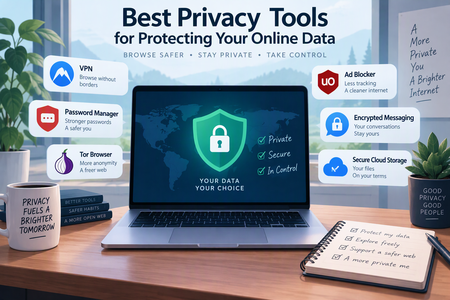
Fortunately, several privacy tools can help you take control of your digital footprint. From secure browsers and password managers to encrypted messaging applications and virtual private networks (VPNs), these tools make it easier to protect your online activities.
In this article, we explore some of the best privacy tools for protecting your online data and explain how to use them effectively.
Why Is Online Privacy Important?
Online privacy is about maintaining control over your personal information and deciding who can access it. Your digital footprint may include browsing history, location information, email addresses, financial details, passwords, and private conversations.
Without proper protection, this information can be collected, shared, or exposed without your knowledge.
Some common online privacy threats include:
- Data tracking: Websites and advertisers monitor browsing habits to build detailed user profiles.
- Identity theft: Cybercriminals may steal personal information to impersonate individuals or access financial accounts.
- Data breaches: Companies storing personal information may experience security incidents that expose customer records.
- Phishing attacks: Fraudulent emails and websites attempt to trick users into revealing sensitive information.
- Public Wi-Fi risks: Unsecured networks can expose internet traffic to interception, particularly when websites and applications lack proper encryption.
Using reliable privacy tools can significantly reduce these risks and help you browse the internet with greater confidence.
1. Virtual Private Networks (VPNs)
A Virtual Private Network (VPN) is one of the most popular tools for improving online privacy. It creates an encrypted connection between your device and a VPN server, helping protect your internet traffic from interception on untrusted networks.
A VPN can also hide your IP address from websites you visit by routing your connection through its servers.
Recommended VPN tools:
- Proton VPN: Offers a privacy-focused service, strong encryption, and a free plan with limitations.
- Mullvad VPN: Known for its privacy-oriented approach, minimal account information requirements, and transparent pricing.
- NordVPN: Provides encrypted connections and additional security features, including threat protection options.
Why use a VPN?
A VPN is particularly useful when connecting to public Wi-Fi at airports, hotels, cafés, and other shared locations. However, remember that a VPN does not make you completely anonymous. The VPN provider may still process certain connection information, so choosing a trustworthy service is essential.
2. Privacy-Focused Web Browsers
Your web browser plays a major role in determining how much information websites and advertisers can collect about you. Many conventional browsers allow extensive tracking through cookies, advertising scripts, and browser fingerprinting techniques.
Privacy-focused browsers offer additional protection by blocking or limiting these tracking methods.
Recommended privacy browsers:
- Brave: Automatically blocks many advertisements, trackers, and third-party cookies.
- Mozilla Firefox: Provides customizable privacy settings and supports powerful tracking-protection extensions.
- Tor Browser: Routes internet traffic through the Tor network, making it more difficult for websites to identify your location and IP address.
Why use a privacy browser?
A privacy-focused browser reduces unnecessary tracking and gives you greater control over your browsing experience. For everyday browsing, Brave and Firefox are convenient options, while Tor Browser is particularly useful when stronger anonymity is important.
3. Password Managers
Using the same password across multiple websites is a serious security risk. If one service experiences a data breach, attackers may attempt to use the exposed password to access your other accounts.
Password managers solve this problem by securely storing and generating strong, unique passwords.
Recommended password managers:
- Bitwarden: Offers open-source software, password generation, and secure synchronization across devices.
- 1Password: Provides password storage, secure sharing, and tools for managing sensitive information.
- KeePass: An open-source password manager that stores encrypted password databases locally, giving users greater control over their data.
Why use a password manager?
A password manager helps you create long, complex passwords without having to memorize every one. You only need to remember one strong master password to access your password vault.
For additional security, enable multifactor authentication wherever possible.
4. Encrypted Messaging Applications
Private conversations should remain private. Unfortunately, some messaging services collect extensive user information or do not provide end-to-end encryption for every type of communication.
End-to-end encryption ensures that messages are encrypted on the sender’s device and can only be decrypted by the intended recipient, assuming their devices and accounts remain secure.
Recommended encrypted messaging tools:
- Signal: Offers end-to-end encrypted messages and calls, with a strong emphasis on minimizing data collection.
- WhatsApp: Provides end-to-end encryption for personal messages and calls by default, although its broader data practices should also be considered.
- Element: Uses the Matrix protocol and supports encrypted messaging and decentralized communication.
Why use encrypted messaging?
These applications help protect private conversations from unauthorized access during transmission. Signal is particularly attractive to users who prioritize privacy, while Element offers additional flexibility through decentralized communication.
Remember that encryption does not prevent recipients from copying, forwarding, or taking screenshots of messages.
5. Secure Email Services
Email accounts often contain some of our most sensitive information, including financial documents, personal conversations, password-reset links, and business correspondence.
Traditional email services may scan messages for certain purposes or collect metadata about communications. Privacy-focused email providers offer stronger protections.
Recommended secure email services:
- Proton Mail: Provides end-to-end encrypted communication between Proton Mail users and supports password-protected messages to external recipients.
- Tuta Mail: Focuses on encrypted email, calendars, and contacts.
- Mailfence: Offers encrypted email features and additional privacy-oriented productivity tools.
Why use secure email?
A privacy-focused email provider can reduce exposure of sensitive communications and give you greater control over your inbox.
Keep in mind that encryption is not automatically available for every email sent to an external recipient. Check the provider’s encryption options before sharing confidential information.
6. Tracker and Advertisement Blockers
Many websites use tracking technologies to monitor user behavior and collect information about browsing habits. Advertising networks may use this information to deliver personalized advertisements across multiple websites.
Tracker blockers help reduce this activity.
Recommended tracker-blocking tools:
- uBlock Origin: A popular content blocker that can block advertisements, tracking scripts, and unwanted website elements. Browser compatibility and available features depend on the browser version.
- Privacy Badger: Developed by the Electronic Frontier Foundation (EFF), it helps automatically identify and block certain third-party trackers.
- Ghostery: Provides tracker detection and blocking features alongside privacy-focused browsing tools.
Why use tracker blockers?
These tools reduce unwanted tracking, improve page-loading performance, and create a cleaner browsing experience. They can also help prevent certain malicious advertisements from appearing.
However, no blocker can eliminate every tracking method, so combining these tools with browser privacy settings is recommended.
7. Encrypted Cloud Storage
Cloud storage makes it easy to access files from multiple devices, but uploading personal documents to an online platform introduces privacy considerations.
Choosing a service with strong encryption, particularly client-side or end-to-end encryption, can help protect sensitive files.
Recommended encrypted cloud storage tools:
- Proton Drive: Provides encrypted cloud storage with privacy-focused file-sharing features.
- Tresorit: Offers end-to-end encrypted file storage and collaboration tools.
- Cryptomator: An open-source application that encrypts files locally before they are uploaded to cloud storage services.
Why use encrypted cloud storage?
Encryption helps ensure that your private documents remain protected even when stored on third-party servers. It is especially useful for sensitive files such as identification documents, financial records, contracts, and personal photographs.
Always keep a separate backup of important files and protect your encryption keys or recovery information.
8. Two-Factor Authentication (2FA) Apps
Even the strongest password may become compromised through phishing, data breaches, or password reuse. Two-factor authentication adds another layer of security by requiring an additional verification method when signing in.
Authentication applications generate temporary verification codes that change regularly.
Recommended authentication tools:
- Aegis Authenticator: An open-source Android application for managing time-based one-time passwords.
- 2FAS: A user-friendly authenticator with backup and synchronization options.
- Ente Auth: An open-source authenticator that supports encrypted synchronization across devices.
Why use an authentication app?
Two-factor authentication makes it harder for unauthorized individuals to access your accounts, even if they know your password.
Where available, consider using passkeys or hardware security keys for stronger phishing-resistant authentication. Keep recovery codes somewhere safe in case you lose access to your device.
How to Choose the Right Privacy Tools
With so many privacy solutions available, choosing the right combination can feel overwhelming. The best approach depends on your online habits, security requirements, budget, and technical knowledge.
Here are some important factors to consider:
1. Transparency: Choose tools with clear privacy policies and a proven commitment to protecting user information.
2. Encryption: Look for strong encryption, particularly for messaging, email, password storage, and cloud files.
3. Open-source availability: Open-source software allows independent researchers to examine its code, although being open source does not automatically guarantee security.
4. Ease of use: Select tools that fit naturally into your daily routine. Complicated security systems are less effective if you stop using them.
5. Cross-platform compatibility: Check whether the tool works across your computer, smartphone, and tablet.
6. Regular updates: Choose actively maintained software that receives security patches and improvements.
7. Independent security audits: Look for products that publish credible third-party security assessments and explain how vulnerabilities are handled.
Practical Tips for Improving Your Online Privacy
Privacy tools are only one part of a complete online security strategy. Your daily habits also play an important role.
Consider following these practical recommendations:
- Use unique, strong passwords for every important account.
- Enable two-factor authentication or passkeys whenever possible.
- Avoid sharing unnecessary personal information on social media.
- Review application permissions and disable access that is not needed.
- Keep your operating system, browser, and applications updated.
- Avoid clicking suspicious links or downloading unknown attachments.
- Use secure connections when accessing websites and online services.
- Regularly review privacy settings on social media platforms.
- Delete unused accounts that contain personal information.
- Back up important files using secure storage solutions.
- Be careful when connecting to unfamiliar public Wi-Fi networks.
Small changes to your everyday digital habits can make a meaningful difference in protecting your personal information.
Conclusion
Protecting your online data is no longer optional in an increasingly connected world. From tracking technologies and identity theft to data breaches and phishing attacks, internet users face numerous privacy challenges.
Fortunately, the right combination of privacy tools can help reduce these risks. VPNs protect internet connections, privacy-focused browsers limit tracking, password managers secure login credentials, encrypted messaging applications protect conversations, and authentication tools add another layer of account security.
You do not need to install every available privacy application to stay protected. Start with essential tools such as a reputable password manager, a privacy-focused browser, and two-factor authentication. Then introduce additional solutions based on your individual needs.
Ultimately, online privacy is an ongoing process rather than a one-time setup. By choosing trustworthy tools, maintaining good security habits, and staying informed about emerging threats, you can take greater control of your personal information and enjoy a safer digital experience.