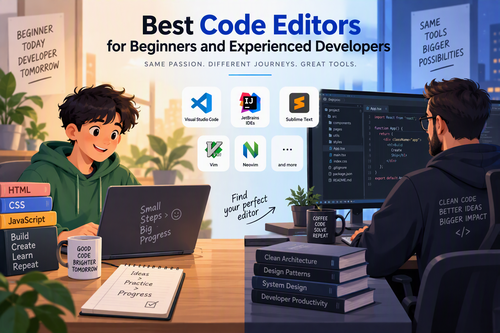
Best Code Editors for Beginners and Experienced Developers
Choosing the right code editor is one of the most important decisions for anyone learning programming or working as a professional developer. A good code editor can make coding faster, improve productivity, reduce errors, and create a more enjoyable development experience. However, with so many code editors available today, finding the right one can be challenging.
Some editors are designed with simplicity in mind, making them ideal for beginners. Others offer advanced customization, powerful debugging tools, extensions, and features that experienced developers need for complex projects.
Whether you are writing your first line of code, building websites, developing applications, or managing large software projects, this guide explores the best code editors for beginners and experienced developers.
What Is a Code Editor?
A code editor is a software application used to write, edit, and manage programming code. Unlike traditional text editors, code editors provide specialized features that make programming easier and more efficient.
Most modern code editors include features such as:
-
Syntax highlighting: Displays programming languages in different colors to make code easier to read.
-
Auto-completion: Suggests code elements as you type, saving time and reducing typing errors.
-
Error detection: Identifies potential mistakes and highlights problems in your code.
-
Extensions and plugins: Allows users to add functionality and customize their development environment.
-
Code formatting: Automatically organizes code according to specific formatting rules.
-
Version control integration: Helps developers manage code changes using tools such as Git.
The best code editor depends on your programming experience, preferred languages, operating system, and development requirements.
1. Visual Studio Code (VS Code)
Visual Studio Code is one of the most popular code editors among beginners and professional developers. Developed by Microsoft, it is a free, lightweight, and highly customizable editor that supports a wide range of programming languages.
One of its biggest advantages is its extensive extension marketplace. Users can install extensions for Python, JavaScript, PHP, C++, Java, HTML, CSS, and many other technologies.
Key Features:
-
Intelligent code completion through IntelliSense.
-
Integrated terminal for running commands.
-
Built-in Git and source control support.
-
Debugging tools for multiple programming languages.
-
Thousands of extensions and themes.
-
Cross-platform support for Windows, macOS, and Linux.
Best For: Beginners, web developers, full-stack developers, and experienced programmers.
Why Choose It?
VS Code offers an excellent balance between simplicity and advanced functionality. Beginners can start coding without dealing with complicated configurations, while experienced developers can customize almost every part of their workflow.
2. Sublime Text
Sublime Text is a fast and lightweight code editor known for its clean interface and excellent performance. It is particularly useful for developers who prefer speed and minimal distractions.
Unlike some larger development environments, Sublime Text starts quickly and handles large files efficiently.
Key Features:
-
Extremely fast startup and performance.
-
Multiple selections for editing several lines simultaneously.
-
Powerful search and replace functionality.
-
Command palette for accessing editor features.
-
Customizable keyboard shortcuts.
-
Support for plugins and packages.
Best For: Developers who value speed, simplicity, and a distraction-free coding environment.
Why Choose It?
Sublime Text is a great option for programmers who want a responsive editor without unnecessary complexity. Although it can be used for many programming languages, some advanced features may require additional packages or external tools.
3. Notepad++
Notepad++ is a free, open-source code editor designed primarily for Windows. Its simple interface and low resource consumption make it an excellent choice for beginners.
It supports numerous programming and scripting languages, making it useful for writing HTML, CSS, JavaScript, PHP, Python, and other types of code.
Key Features:
-
Lightweight and fast performance.
-
Syntax highlighting for multiple languages.
-
Search and replace across multiple files.
-
Tab-based document management.
-
Macro recording and playback.
-
Plugin support for additional functionality.
Best For: Beginners, students, Windows users, and developers who need a simple editor.
Why Choose It?
Notepad++ is ideal for people who want to learn programming without installing a complex development environment. Its straightforward interface makes editing code easy, especially for small projects and quick changes.
4. JetBrains IntelliJ IDEA
IntelliJ IDEA is a powerful development environment primarily designed for Java and Kotlin development. Unlike lightweight code editors, it provides a comprehensive collection of tools for building, testing, and maintaining software applications.
It is particularly popular among professional Java developers.
Key Features:
-
Advanced intelligent code completion.
-
Powerful refactoring tools.
-
Integrated debugging and testing.
-
Git integration.
-
Framework support for Java development.
-
Code inspections and automated suggestions.
Best For: Java developers, Kotlin programmers, software engineers, and enterprise application developers.
Why Choose It?
IntelliJ IDEA is an excellent choice for developers working on large Java projects. Its intelligent coding assistance and automated refactoring features can significantly improve productivity.
However, its extensive features and relatively higher resource requirements may make it less suitable for someone who simply wants to learn basic programming.
5. Vim
Vim is a highly customizable text editor that has been used by developers and system administrators for decades.
Unlike traditional editors, Vim uses different operating modes for inserting, navigating, and editing text. This approach allows experienced users to perform complex editing operations using keyboard commands.
Key Features:
-
Keyboard-focused editing.
-
Extremely efficient text navigation.
-
Extensive customization options.
-
Plugin support.
-
Lightweight resource usage.
-
Availability on many operating systems and remote servers.
Best For: Experienced developers, Linux users, system administrators, and programmers who prefer keyboard-driven workflows.
Why Choose It?
Vim offers exceptional editing efficiency once you become familiar with its commands. However, its learning curve can be challenging for beginners.
If you are willing to invest time in learning its navigation and editing system, Vim can become a powerful addition to your development workflow.
6. Neovim
Neovim is a modern, community-driven extension of Vim. It maintains the keyboard-focused editing philosophy of Vim while introducing improvements to extensibility, configuration, and modern development workflows.
Many developers use Neovim with plugins to create a personalized coding environment.
Key Features:
-
Modern plugin architecture.
-
Lua-based configuration.
-
Language Server Protocol support.
-
Advanced customization.
-
Integrated terminal capabilities.
-
Efficient keyboard-driven editing.
Best For: Advanced programmers, terminal enthusiasts, and developers who enjoy customizing their tools.
Why Choose It?
Neovim is an excellent option for developers who want complete control over their coding environment. It can be configured to provide features similar to those found in larger development environments.
However, setting it up may require technical knowledge and additional configuration, making it less beginner-friendly than VS Code.
7. Zed
Zed is a modern code editor designed around speed, simplicity, and collaboration. It focuses on delivering a responsive editing experience with a clean interface and modern development features.
It is especially interesting for developers who want a fast alternative to more traditional editors.
Key Features:
-
High-performance editing experience.
-
Real-time collaboration features.
-
Language Server Protocol support.
-
Integrated Git functionality.
-
Built-in terminal.
-
AI-assisted development features.
Best For: Professional developers, modern software teams, and programmers who prioritize speed and collaboration.
Why Choose It?
Zed offers an attractive combination of performance and modern development features. It is worth exploring if you want a newer editor with a streamlined interface.
8. Eclipse
Eclipse is an open-source integrated development environment widely used for Java programming and enterprise software development.
Although it is more than a traditional code editor, Eclipse provides a comprehensive environment for writing, testing, and debugging applications.
Key Features:
-
Advanced Java development tools.
-
Integrated debugging capabilities.
-
Plugin-based customization.
-
Project management features.
-
Support for multiple programming languages.
-
Integration with build and testing tools.
Best For: Java developers, students, and enterprise software development teams.
Why Choose It?
Eclipse is a reliable option for developers working with Java and large application projects. Its plugin ecosystem makes it adaptable to different development requirements.
However, its interface can feel complicated to beginners, particularly those who only need a simple editor.
Comparison of the Best Code Editors
Choosing between these editors becomes easier when you compare their main strengths and intended audiences.
| Code Editor | Best For | Main Advantage | Pricing |
|---|---|---|---|
| Visual Studio Code | Beginners and professionals | Extensions and versatility | Free |
| Sublime Text | Experienced developers | Speed and simplicity | Paid, evaluation available |
| Notepad++ | Beginners | Lightweight and easy to use | Free |
| IntelliJ IDEA | Java developers | Intelligent coding assistance | Free and paid editions |
| Vim | Advanced developers | Keyboard efficiency | Free |
| Neovim | Advanced developers | Customization | Free |
| Zed | Modern development teams | Performance and collaboration | Free core editor; paid services may apply |
| Eclipse | Java developers | Comprehensive development tools | Free |
Pricing and licensing can change, so check each editor’s official website before installing or purchasing.
How to Choose the Right Code Editor
Not every code editor is suitable for every developer. Before selecting one, consider the following factors.
1. Your Programming Experience
If you are new to programming, choose an editor with a simple interface and helpful features. Visual Studio Code and Notepad++ are excellent starting points.
Experienced developers may prefer Vim, Neovim, Sublime Text, or Zed because of their customization and performance capabilities.
2. Programming Language Support
Make sure your preferred editor supports the programming languages you intend to use.
For example:
-
Web development: VS Code and Sublime Text.
-
Python development: VS Code and other Python-compatible environments.
-
Java development: IntelliJ IDEA and Eclipse.
-
C and C++ development: VS Code and Vim.
-
System administration: Vim and Neovim.
Also consider whether you need additional extensions, language servers, or debugging tools.
3. Performance and System Requirements
Some editors consume more memory and processing power than others.
If you have an older computer, lightweight options such as Notepad++ or Vim may provide a smoother experience.
If your computer has sufficient resources, you can explore more feature-rich environments such as IntelliJ IDEA.
4. Customization Options
Customization allows developers to adapt their editors to their personal workflows.
Consider whether you need:
-
Custom themes and color schemes.
-
Keyboard shortcuts.
-
Extensions and plugins.
-
Automated code formatting.
-
Integrated terminals.
-
Language-specific development tools.
VS Code and Neovim are particularly attractive for developers who enjoy customizing their environments.
5. Debugging and Productivity Features
As your programming skills improve, you will probably need more advanced tools.
Features such as debugging, Git integration, intelligent code completion, and error detection can save considerable time.
For professional software development, these features can be just as important as the editor’s speed and appearance.
Best Code Editors for Beginners vs. Experienced Developers
If you are still unsure which editor to choose, here are my recommendations based on experience level.
Best overall: Visual Studio Code
A versatile choice for beginners and experienced developers who want extensions, debugging, and broad language support.
Best for absolute beginners: Notepad++
Simple, lightweight, and easy to understand, particularly for Windows users.
Best for Java development: IntelliJ IDEA
Provides powerful code analysis, debugging, and refactoring tools.
Best for customization: Neovim
Ideal for developers who enjoy building a personalized, keyboard-driven coding environment.
Best modern alternative: Zed
A compelling choice for developers interested in performance and collaborative workflows.
Tips for Getting the Most Out of Your Code Editor
After choosing an editor, learning how to use it effectively can make a significant difference in your productivity.
Here are some practical tips:
-
Learn keyboard shortcuts: Shortcuts help you navigate files, edit code, and perform repetitive tasks more quickly.
-
Install useful extensions: Add tools for your preferred programming languages, code formatting, and debugging.
-
Use syntax highlighting: Choose a comfortable theme that makes code easier to read.
-
Enable automatic formatting: Keep your code consistent and organized.
-
Learn Git integration: Understand how to track changes and collaborate with other developers.
-
Keep your editor updated: Updates can provide security improvements, bug fixes, and new functionality.
-
Avoid installing too many plugins: Too many extensions can slow down your editor and create unnecessary complexity.
Remember that becoming a better programmer is not about using the most complicated editor. It is about understanding your tools and using them effectively.
Frequently Asked Questions (FAQs)
1. Which is the best code editor for beginners?
Visual Studio Code is one of the best choices for beginners because it offers an intuitive interface, helpful extensions, syntax highlighting, and support for many programming languages. Notepad++ is another excellent option for Windows users who prefer simplicity.
2. Is Visual Studio Code better than Sublime Text?
It depends on your requirements. VS Code provides a larger extension ecosystem, integrated debugging, and extensive development tools. Sublime Text is known for its speed, simplicity, and responsive editing experience.
3. Are free code editors good enough for professional developers?
Yes. Many free editors offer professional-level functionality. VS Code, Vim, Neovim, Notepad++, and Eclipse are examples of tools that developers can use for serious software development.
4. What is the difference between a code editor and an IDE?
A code editor primarily focuses on writing and editing source code. An Integrated Development Environment (IDE) typically combines a code editor with additional tools such as debugging, compiling, testing, and project management.
Some modern code editors also provide IDE-like functionality through extensions.
5. Can I use one code editor for multiple programming languages?
Absolutely. Editors such as Visual Studio Code, Sublime Text, Vim, and Neovim support multiple programming languages. You can add language-specific extensions and tools to customize your environment.
6. Should beginners learn Vim or Neovim?
Beginners can learn Vim or Neovim, but they are not necessarily the easiest starting points. Their keyboard-based editing systems require practice. It is generally easier to begin with VS Code or Notepad++ and explore Vim-style editors as your skills develop.
Conclusion
Finding the best code editor for beginners and experienced developers depends on your goals, programming experience, and preferred development workflow.
Visual Studio Code stands out as an excellent all-around option because of its flexibility, extensive extension marketplace, and beginner-friendly interface. Notepad++ is ideal for simple editing tasks, while Sublime Text offers excellent speed and performance.
For more advanced development, IntelliJ IDEA and Eclipse provide powerful tools for Java programming, while Vim and Neovim appeal to developers who prefer keyboard-driven workflows. Zed is another promising option for those looking for a modern, performance-focused editor.
Ultimately, there is no single code editor that is perfect for everyone. The best approach is to try a few options, explore their features, and choose the one that helps you write better code and work more efficiently.