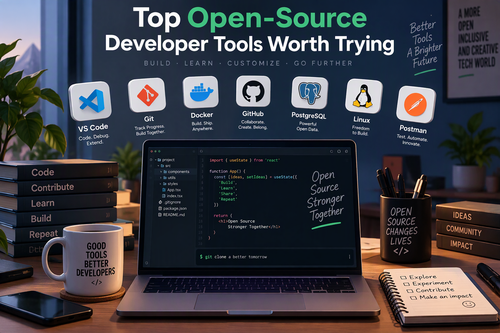
The world of software development is constantly evolving, and developers need reliable tools to stay productive, write cleaner code, and build better applications. While many commercial development platforms offer impressive features, open-source tools provide an attractive alternative. They are often free to use, highly customizable, supported by active communities, and continuously improved by developers worldwide.
Whether you are a beginner learning to code, an experienced software engineer, or part of a development team, choosing the right tools can make a significant difference in your workflow.
In this article, we explore some of the top open-source developer tools worth trying and explain how they can help you become more efficient.
1. Visual Studio Code – A Powerful Code Editor
Visual Studio Code (VS Code) is one of the most popular code editors among developers. It is lightweight, highly customizable, and supports numerous programming languages through extensions.
Its features include intelligent code completion, syntax highlighting, integrated terminal access, debugging capabilities, and Git integration.
Developers can extend its functionality with thousands of community-built extensions for languages and frameworks such as Python, JavaScript, PHP, and Java.
Why try it?
- Customizable interface and themes.
- Extensive extension marketplace.
- Built-in debugging and version control.
- Support for multiple programming languages.
VS Code is a great starting point for developers who want a flexible coding environment.
Website: https://code.visualstudio.com/
2. Git – Essential Version Control
Git is an open-source distributed version control system that helps developers track changes in their code and collaborate with others.
It allows developers to create branches, review modifications, revert mistakes, and maintain different versions of a project without disrupting the main codebase.
Git is particularly useful for teams working on large projects because multiple developers can contribute independently and merge their work efficiently.
Why try it?
- Track every important code change.
- Collaborate with developers across different locations.
- Create and manage development branches.
- Recover previous versions of your project.
Learning Git is practically essential for modern software development.
Website: https://git-scm.com/
3. Docker – Simplify Application Development
Docker is an open-source platform that allows developers to package applications and their dependencies into containers.
Containers provide consistent environments across development, testing, and production systems. This helps reduce the common problem of applications behaving differently on different machines.
Docker is especially valuable for developers working with microservices, cloud applications, and complex development environments.
Why try it?
- Create consistent development environments.
- Simplify application deployment.
- Reduce dependency-related problems.
- Support scalable application architectures.
Docker can save considerable time when building and maintaining modern applications.
Website: https://www.docker.com/
4. PostgreSQL – A Reliable Database Management System
PostgreSQL is a powerful open-source relational database management system known for its reliability, flexibility, and advanced features.
It supports complex queries, transactions, indexing, JSON data, and a wide range of extensions.
From small web applications to enterprise-level platforms, PostgreSQL offers a dependable solution for storing and managing structured data.
Why try it?
- Strong data integrity and reliability.
- Advanced SQL capabilities.
- Support for relational and JSON data.
- Excellent scalability and extensibility.
For developers looking for a robust database solution, PostgreSQL deserves serious consideration.
Website: https://www.postgresql.org/
5. Neovim – A Highly Customizable Text Editor
Neovim is an open-source text editor designed for developers who value speed, efficiency, and customization.
It builds on Vim’s editing philosophy while introducing improvements such as better extensibility, Lua-based configuration, and modern integration capabilities.
Although it has a learning curve, Neovim can become an extremely productive coding environment once configured to suit your workflow.
Why try it?
- Lightweight and fast performance.
- Powerful keyboard-driven editing.
- Extensive plugin ecosystem.
- Flexible Lua configuration.
Neovim is particularly appealing to developers who prefer working directly from the terminal.
Website: https://neovim.io/
6. Kubernetes – Container Orchestration Made Easier
Kubernetes is an open-source container orchestration platform that automates the deployment, scaling, and management of containerized applications.
It helps development and operations teams manage applications across clusters of machines while maintaining availability and resource efficiency.
Kubernetes is widely used in cloud-native development and large-scale production environments.
Why try it?
- Automate application deployment.
- Scale applications based on demand.
- Manage containerized workloads.
- Support resilient application architectures.
While Kubernetes may be unnecessary for simple applications, it is an important technology for developers working with distributed systems and cloud infrastructure.
Website: https://kubernetes.io/
7. Postman Alternatives: Bruno – API Development and Testing
Bruno is an open-source API client designed to help developers create, test, and manage API requests.
Unlike some cloud-first API tools, Bruno emphasizes local file-based collections, making it easier to keep API requests alongside project code and manage them through Git.
It supports REST and GraphQL workflows and offers a straightforward interface for testing endpoints.
Why try it?
- Store API collections locally.
- Integrate API requests with Git workflows.
- Organize and reuse requests.
- Test APIs without relying on a cloud-based workspace.
Bruno is worth exploring if you want a lightweight API testing tool with a developer-friendly approach.
Website: https://www.usebruno.com/
8. Jenkins – Automate Your Development Pipeline
Jenkins is an open-source automation server widely used for continuous integration and continuous delivery (CI/CD).
It allows developers to automate repetitive tasks such as building applications, running tests, checking code quality, and deploying software.
Jenkins supports thousands of plugins, making it adaptable to different programming languages, development environments, and deployment workflows.
Why try it?
- Automate software builds and tests.
- Create customizable CI/CD pipelines.
- Integrate with popular development tools.
- Reduce repetitive manual tasks.
Jenkins is a practical option for teams looking to improve their software delivery processes.
Website: https://www.jenkins.io/
9. Prometheus – Monitor Application Performance
Prometheus is an open-source monitoring and alerting toolkit designed primarily for reliability and infrastructure monitoring.
It collects time-series metrics from applications and infrastructure, allowing developers and system administrators to understand system performance.
Prometheus is particularly useful in cloud-native environments and integrates well with visualization tools such as Grafana.
Why try it?
- Collect and analyze performance metrics.
- Monitor applications and infrastructure.
- Configure alerts for potential problems.
- Integrate with modern cloud-native systems.
If you maintain applications in production, Prometheus can help you identify performance issues before they become major problems.
Website: https://prometheus.io/
10. Grafana – Visualize Your Application Data
Grafana is an open-source analytics and visualization platform that transforms metrics, logs, and other data into informative dashboards.
It supports multiple data sources, including Prometheus, PostgreSQL, and Elasticsearch.
Developers can use Grafana to monitor application performance, investigate infrastructure problems, and create dashboards that make complex information easier to understand.
Why try it?
- Build interactive monitoring dashboards.
- Connect multiple data sources.
- Visualize application performance.
- Set up alerts and notifications.
Grafana works particularly well alongside Prometheus, providing a powerful monitoring and visualization combination.
Website: https://grafana.com/
11. Apache Kafka – Handle Real-Time Data Streams
Apache Kafka is an open-source distributed event streaming platform used to build real-time data pipelines and streaming applications.
It allows applications to publish, subscribe to, store, and process streams of events.
Kafka is especially useful in systems that need to handle large volumes of data, communicate between microservices, or process events in real time.
Why try it?
- Handle high-volume event streams.
- Build event-driven architectures.
- Connect distributed applications.
- Support real-time data processing.
Developers working on large-scale applications and distributed systems should consider learning Kafka.
Website: https://kafka.apache.org/
12. Terraform – Manage Infrastructure as Code
Terraform is an open-source infrastructure-as-code tool that enables developers and infrastructure engineers to define and manage cloud resources through configuration files.
Instead of manually creating servers, networks, and other infrastructure components, users can describe their desired infrastructure and let Terraform manage the provisioning process.
It supports multiple infrastructure providers and helps teams maintain consistent environments.
Why try it?
- Automate infrastructure provisioning.
- Maintain infrastructure configurations as code.
- Reproduce environments consistently.
- Manage infrastructure changes through version control.
Terraform is particularly valuable for DevOps engineers and developers working with cloud infrastructure.
Website: https://developer.hashicorp.com/terraform
How to Choose the Right Open-Source Developer Tools
With so many options available, choosing the right tools can feel overwhelming. The best approach is to focus on your actual development needs rather than installing every popular tool.
Here are a few factors to consider:
1. Identify your requirements: Think about whether you need a code editor, database, API testing solution, monitoring platform, or deployment tool.
2. Check community support: Look for active development, regular updates, helpful documentation, and a responsive community.
3. Consider compatibility: Make sure the tools work with your operating system, programming languages, frameworks, and existing development environment.
4. Evaluate security: Review security policies, update frequency, dependencies, and vulnerability reporting practices.
5. Start small: Introduce tools gradually instead of changing your entire development workflow at once.
Remember that open-source software is not automatically secure or maintenance-free. Always evaluate whether a project is actively maintained and suitable for your intended use.
Final Thoughts
Open-source developer tools have become an essential part of modern software development. They provide powerful capabilities for coding, testing, collaboration, automation, monitoring, and infrastructure management without requiring expensive commercial licenses.
Tools such as Visual Studio Code, Git, Docker, PostgreSQL, Kubernetes, and Grafana can significantly improve development workflows when used appropriately.
You do not need to adopt every tool on this list. Start with the ones that solve your biggest development challenges, explore their features, and gradually build a toolkit that supports your goals.
The biggest advantage of open-source development is the freedom to experiment, customize, learn, and contribute. By exploring these tools, you can improve your productivity while becoming part of a global developer community.